Windows · Free edition available now

Run your whole business from one app on your PC.

Clients, jobs, tasks, hours, expenses and invoices — kept in one place instead of five. Orkely is a desktop app that works with no internet connection and stores everything on your own computer.
  • No account needed
  • Works offline
  • No subscription
Orkely — dashboard
Orkely dashboard showing clients, projects and finances on one screen

Right now this is probably your business

Four tools that have never spoken to each other, and the same information typed out more than once.

A spreadsheet for clients

A notes app for job details

Receipt photos in your camera roll

A separate invoicing subscription

Orkely replaces the lot with one app that keeps them connected — and stores every record on your own computer.

How it works

One job, start to invoice

This is the loop Orkely was built around. Every step below feeds the next one, so nothing gets typed twice and nothing gets forgotten.

  1. Add the client

    Free

    One record per customer: contact details, notes, and a running history of every job, quote and invoice they have ever had with you. When they call again you can see what you did last time without searching your phone.

  2. Turn the job into a project

    Free

    The bathroom refit, the monthly retainer, the three-day shoot. Each project holds its own tasks, files, hours and costs — and if you quoted it with a proposal first, the accepted proposal becomes the project with its tasks already laid out.

  3. Break it into tasks and log the hours

    Free

    Kanban boards and list views, priorities, deadlines, and time logs per task — so you know what a job actually took, not what you think it took. That is what makes the next quote accurate.

  4. Put the costs on the job

    Free

    Log parts, materials and receipts against the project they belong to. Every job then carries its own real cost next to its own real hours, instead of both ending up in a shoebox.

  5. Generate the invoice from the tasks

    Free

    Pick the tasks you are billing and they become invoice lines. Add the materials, remove anything you agreed not to charge for, then email the branded PDF from the app or save it and send it yourself — with the payment method you actually use printed on it.

  6. See whether it was worth doing

    Pro

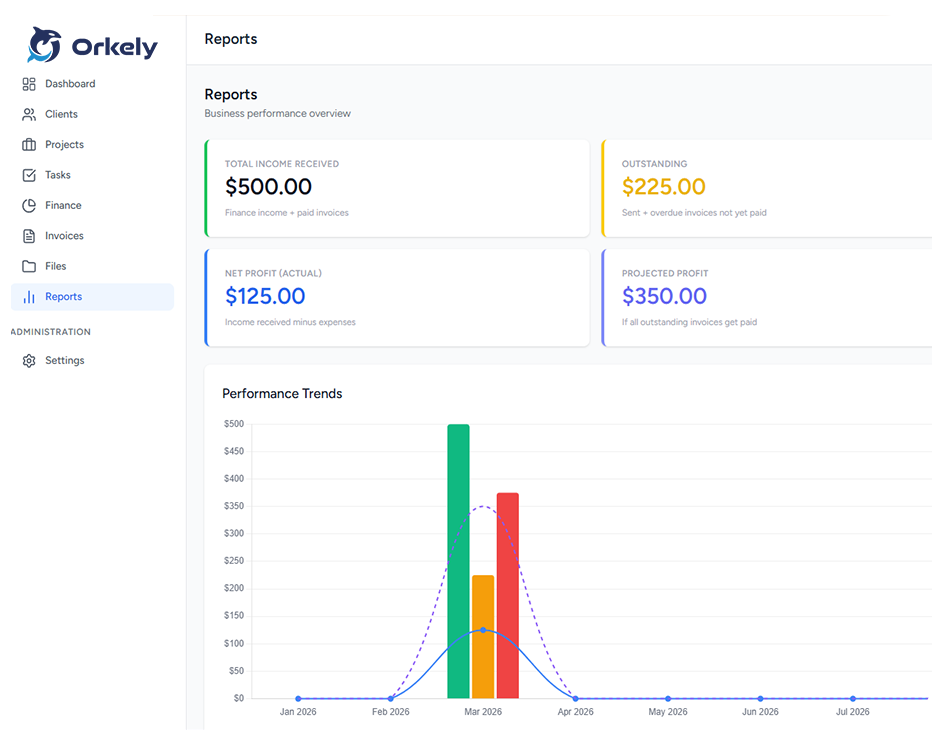
    Income and expenses land in one place as you go, so the month adds itself up. Reports go further — revenue over time, task activity, and billing broken down per client.

That is the whole loop. No re-typing the same details into a second tool, no exporting to a spreadsheet to work out what you earned, and no tool that quietly bills you every month.

No narration, no slides

Watch the whole loop run

Client, proposal, sent, accepted, converted to a project, invoiced — recorded from the real app in one take.

Just over a minute, on Windows, at 1.0.3. Nothing is staged — it is the app as it ships.

Or one step at a time

Each clip is under half a minute.

Add a client

Under 20 seconds.

Start a project

Under 20 seconds.

Write and send a proposal Pro

Under 25 seconds.

Invoice from a project

Under 25 seconds.

Set up payment methods

Under 15 seconds.

See all nine task-by-task clips — including logging a task, recording a payment, adding income and expenses, and reading the reports.

What is inside

Eight modules. One window. No cloud.

Everything below runs locally on your machine, in both editions, except where marked.

Free

Client management

A local CRM built for one person.

  • Full client profiles with notes
  • Every job, quote and invoice linked to the client
  • Instant search across all records
Free

Projects

One project per job, start to finish.

  • Timelines, milestones and status tracking
  • Files and tasks attached to the project
  • Open as many jobs at once as you like
Free

Tasks & time

Know what the work actually took.

  • Kanban boards and list views
  • Subtasks, priorities and deadlines
  • Time logs recorded per task
  • Files attached to the task, not just the project
Free

Invoicing

Built from the work you already logged.

  • Invoice lines generated from finished tasks
  • Payment methods that fit any country, plus custom rows
  • Email from the app, or save the PDF and send it yourself
Free

Finance & expenses

The month adds itself up as you go.

  • Income and expense entries, editable any time
  • Yearly income and expense trend chart
  • Categories for tax reporting
Free

Files, backup & restore

Receipts, photos and records kept together.

  • Attach files to a project, or to a single task
  • Open a file, or show it in its folder
  • Back up and restore your database whenever you like
  • Nothing is uploaded anywhere
Pro

Proposals

Quote the work before you start it.

  • Rich-text builder with merge fields
  • Emailed with its PDF attached
  • An accepted proposal becomes a project, tasks and all
Pro

Reports

Which customers actually make money.

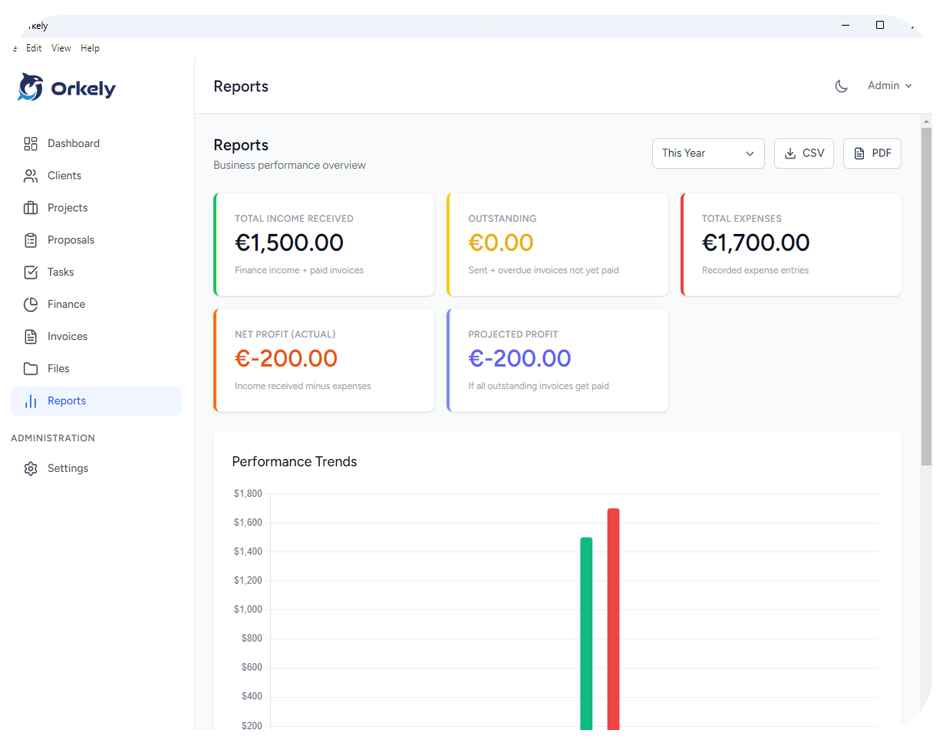
  • Revenue and expense trends
  • Task activity and completion
  • Billing broken down per client

See it before you install it

Real screens from Orkely 1.0.3 — every module, cropped to the useful part.

Dashboard

The month and the yearly trend at a glance

Orkely dashboard screen
Clients

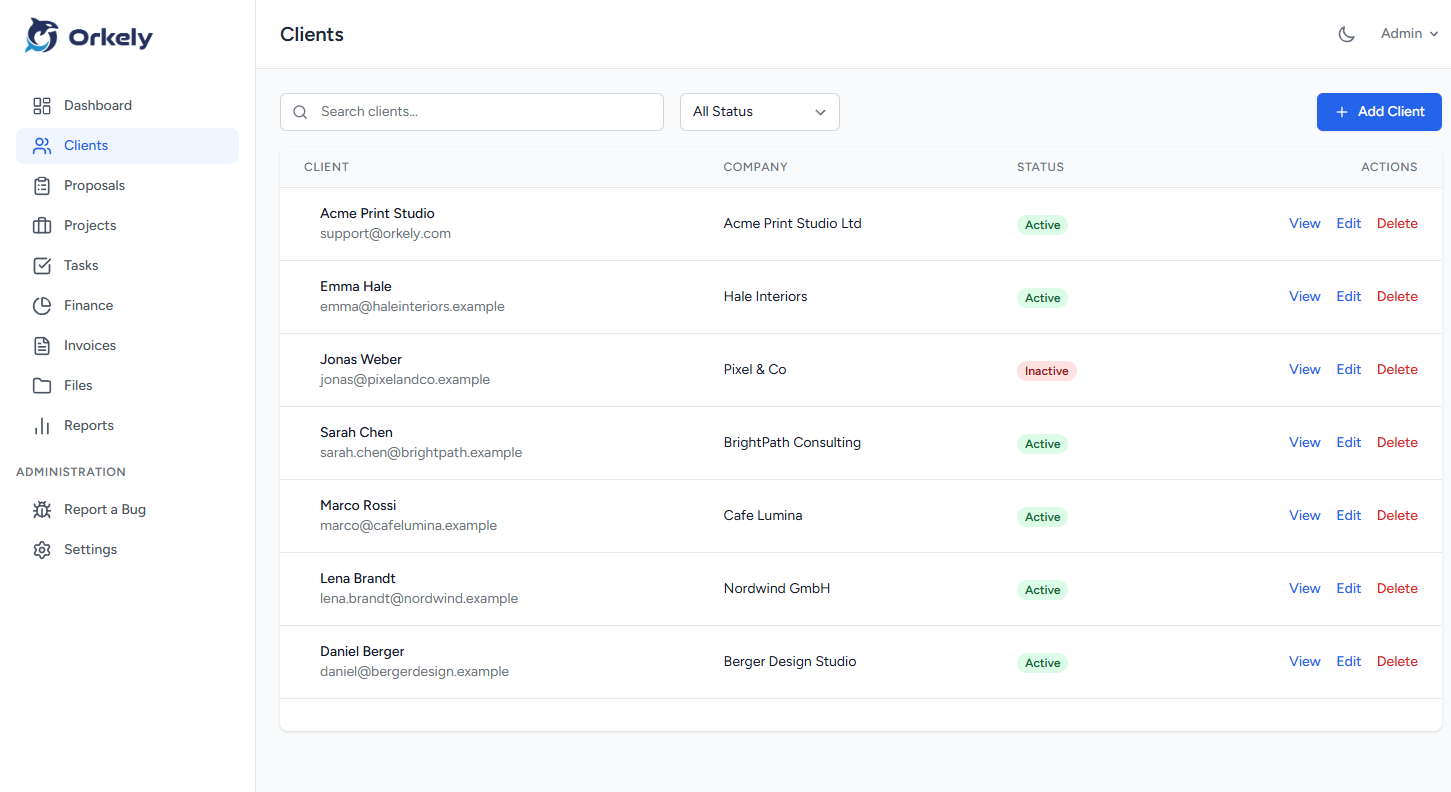
Every customer in one local list

Orkely clients screen
Client record

Every job, quote and invoice per customer
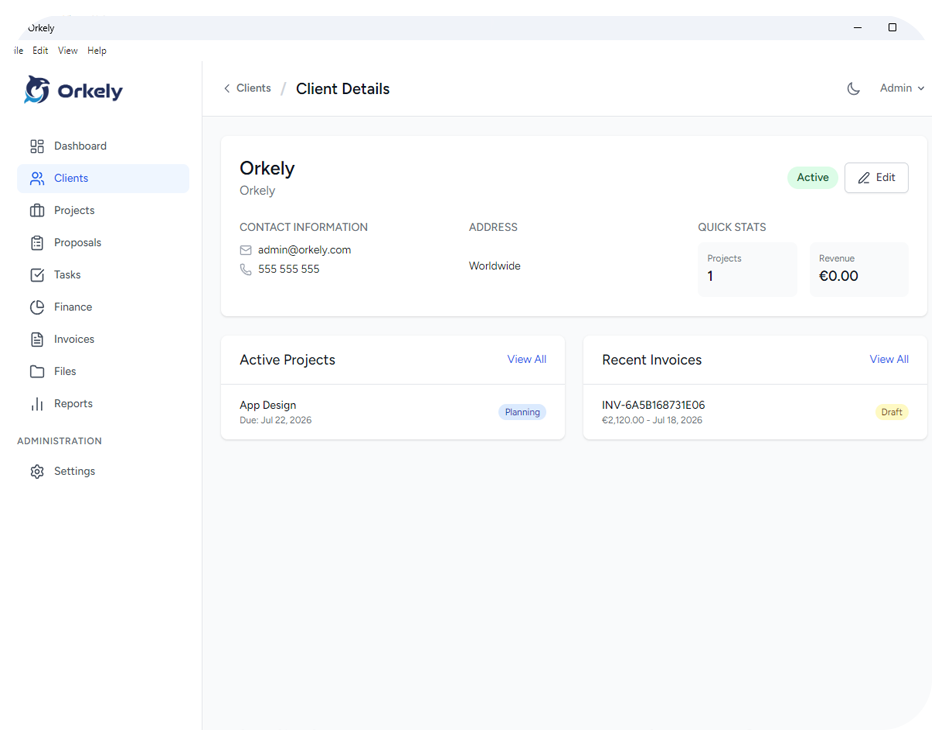
Orkely client record screen
Projects

One project per job, all open at once
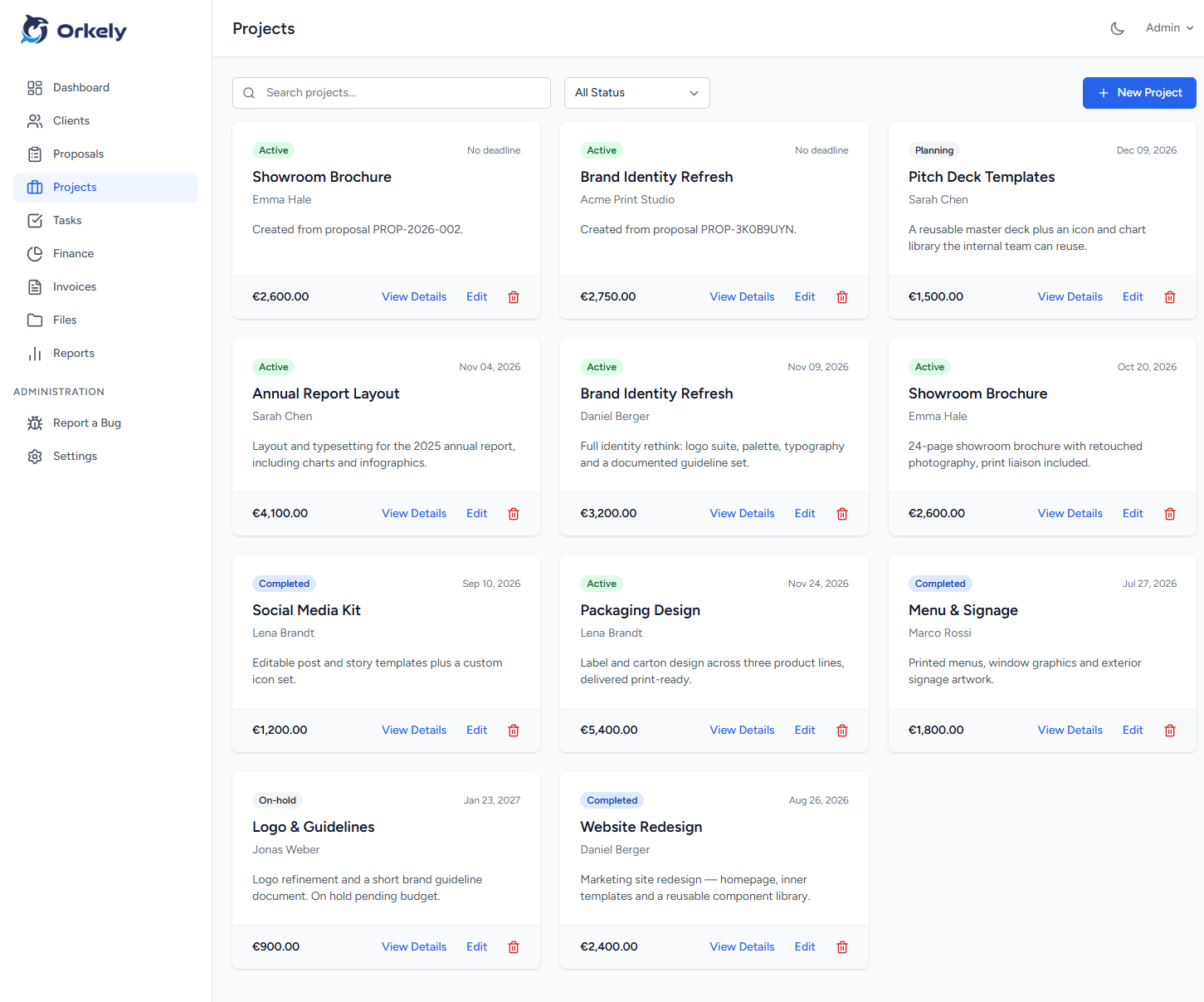
Orkely projects screen
Project detail

Tasks, files, hours and costs on one job
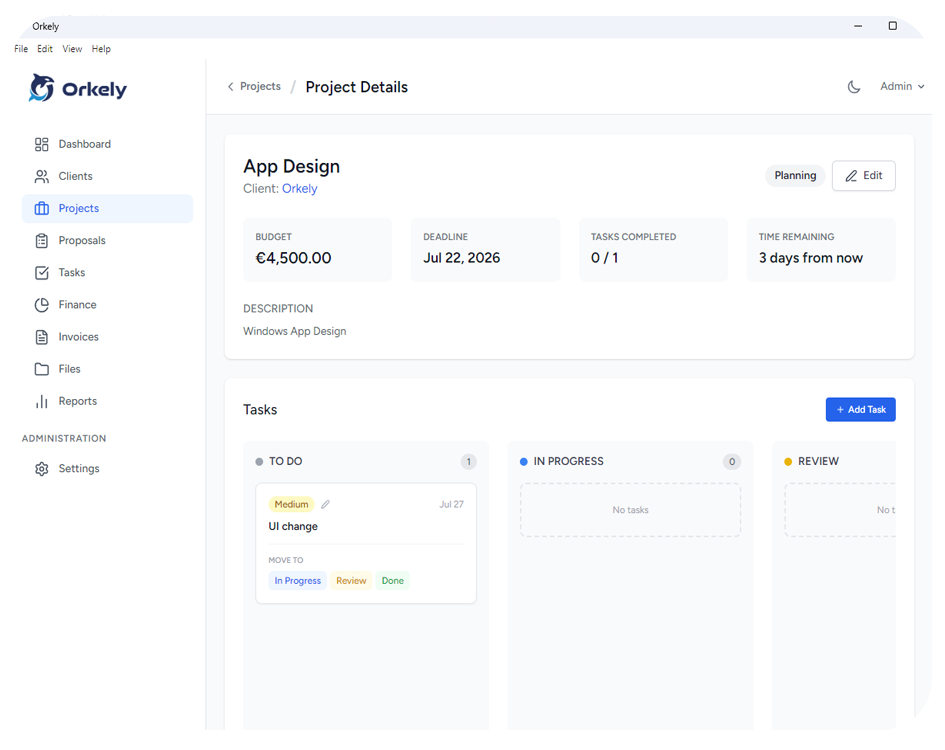
Orkely project detail screen
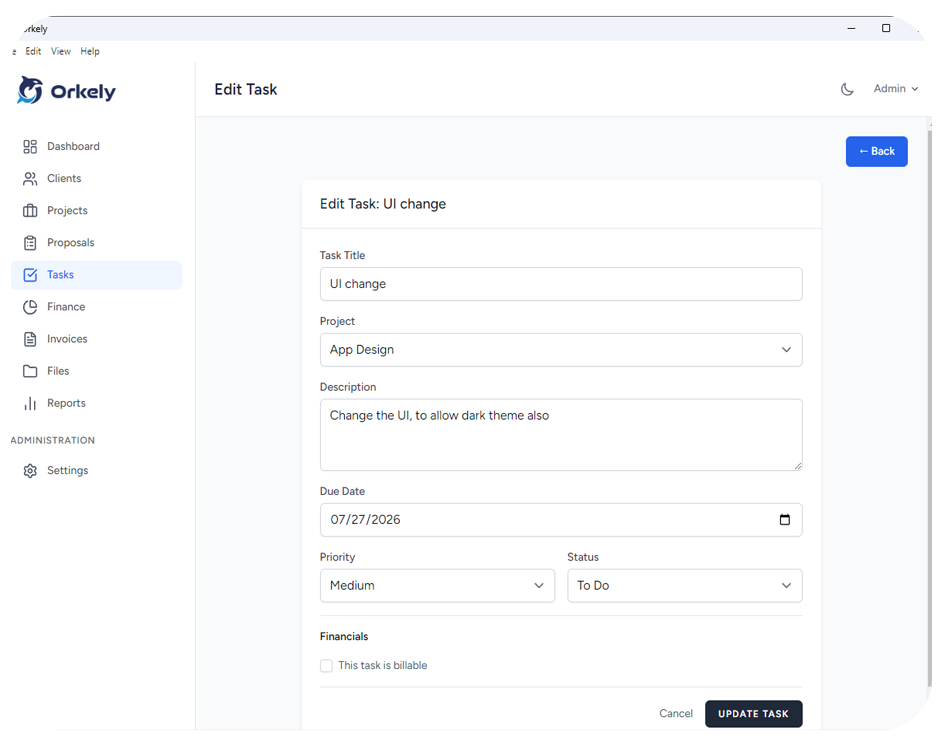
Tasks

Kanban, priorities and time logs

Orkely tasks screen
Files

Attachments per project and per task
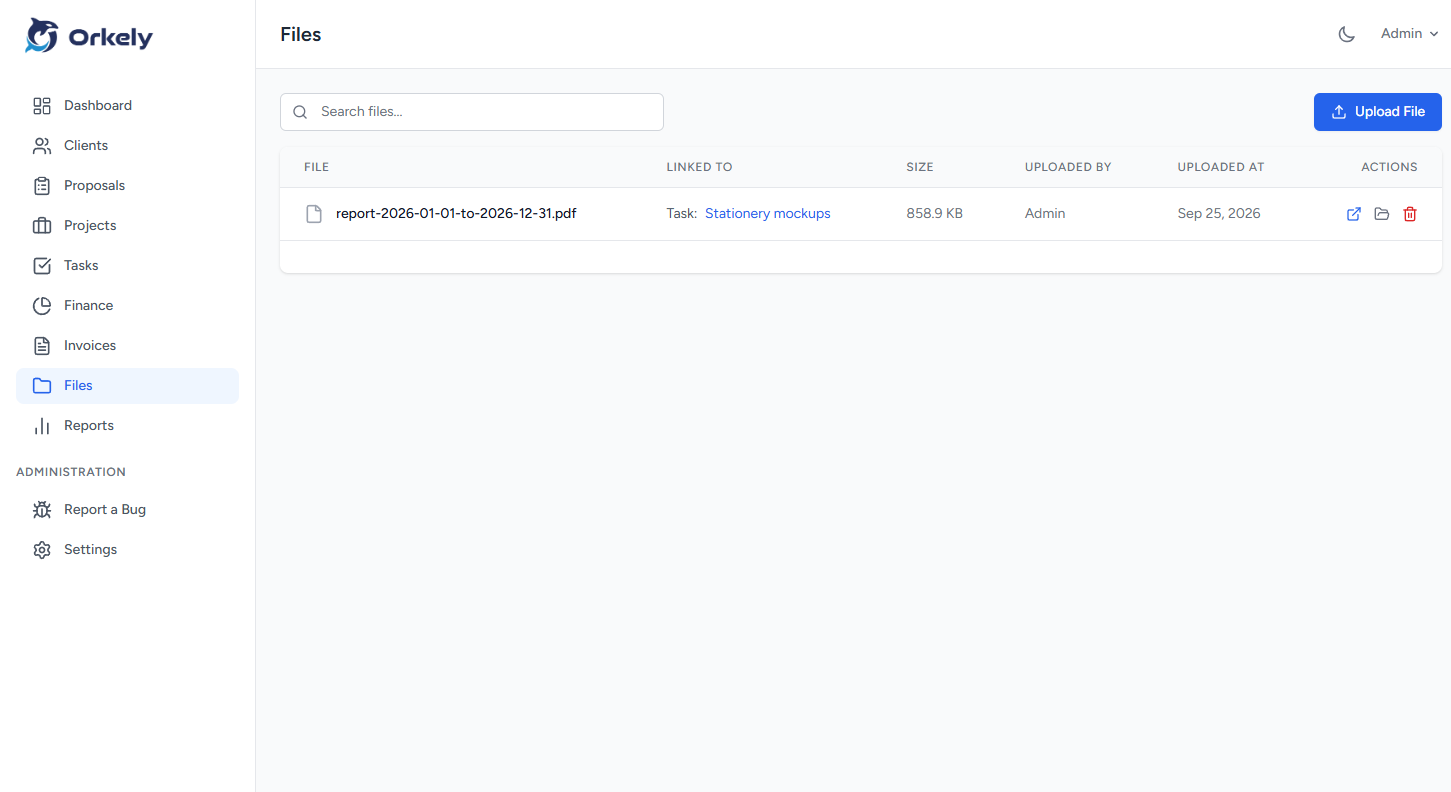
Orkely files screen
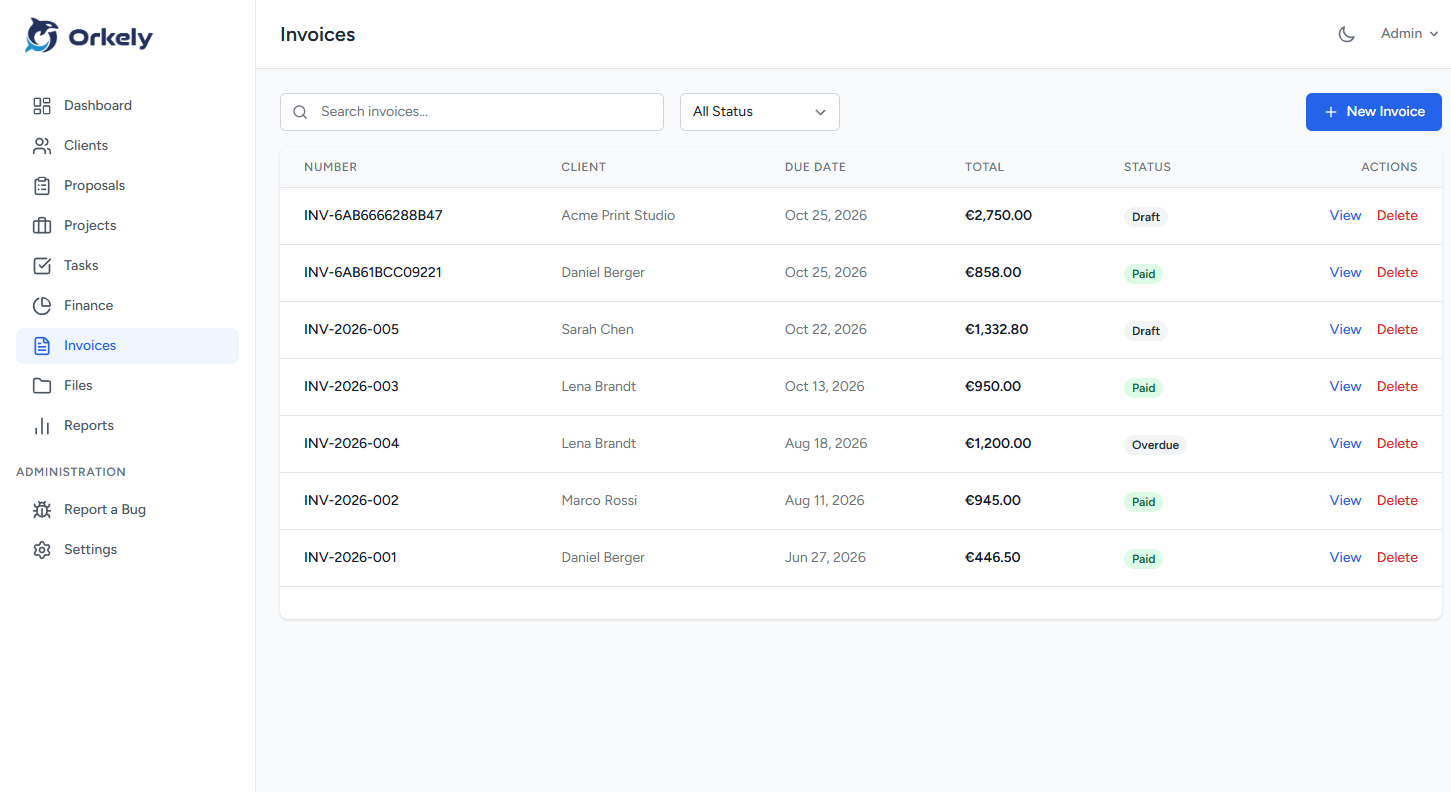
Invoices

Built from the tasks you finished

Orkely invoices screen
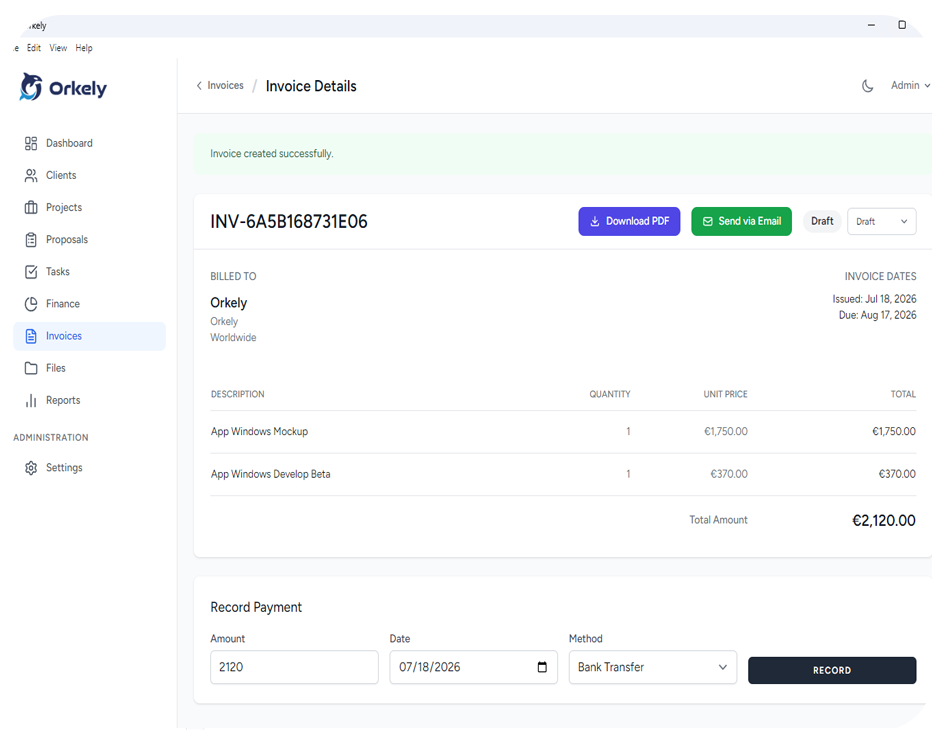
Invoice detail

Branded PDF, generated locally

Orkely invoice detail screen
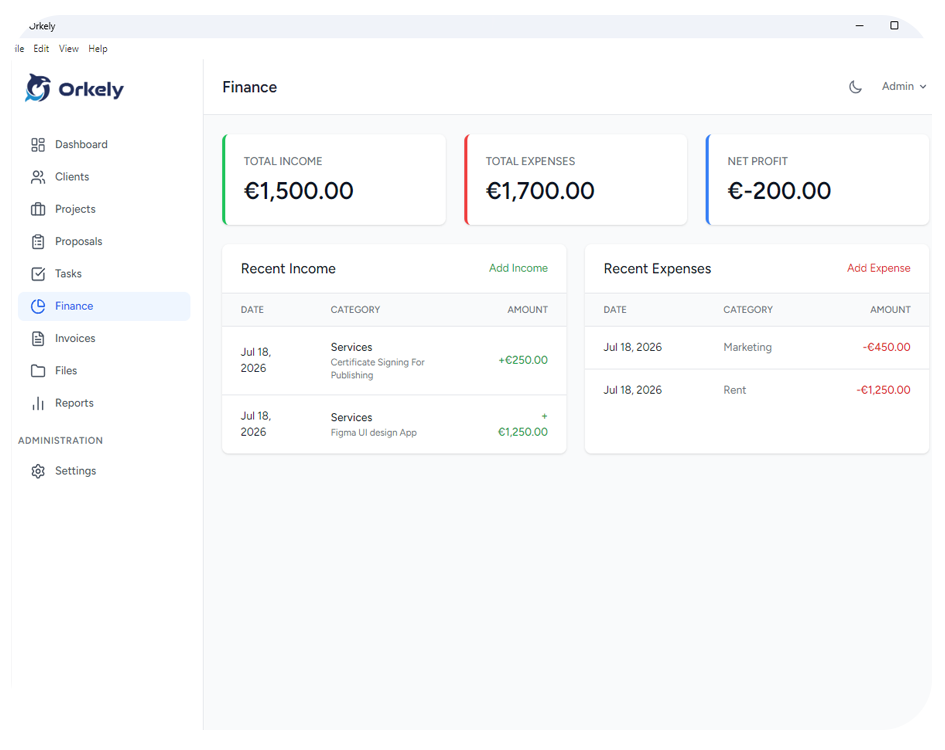
Finance

Income and expenses in one place

Orkely finance screen
Payment methods

Bank fields, payment links and custom rows
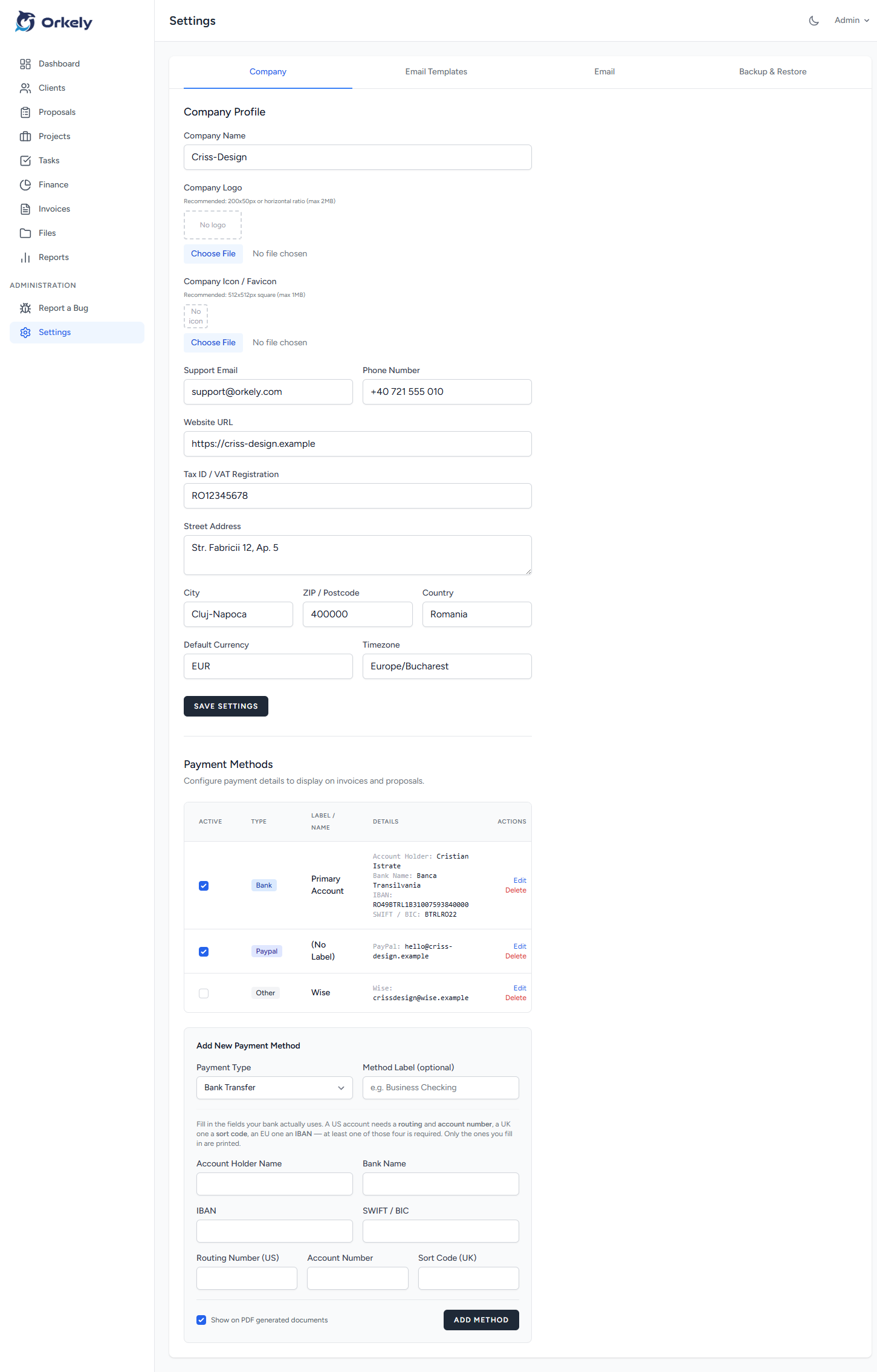
Orkely payment methods screen
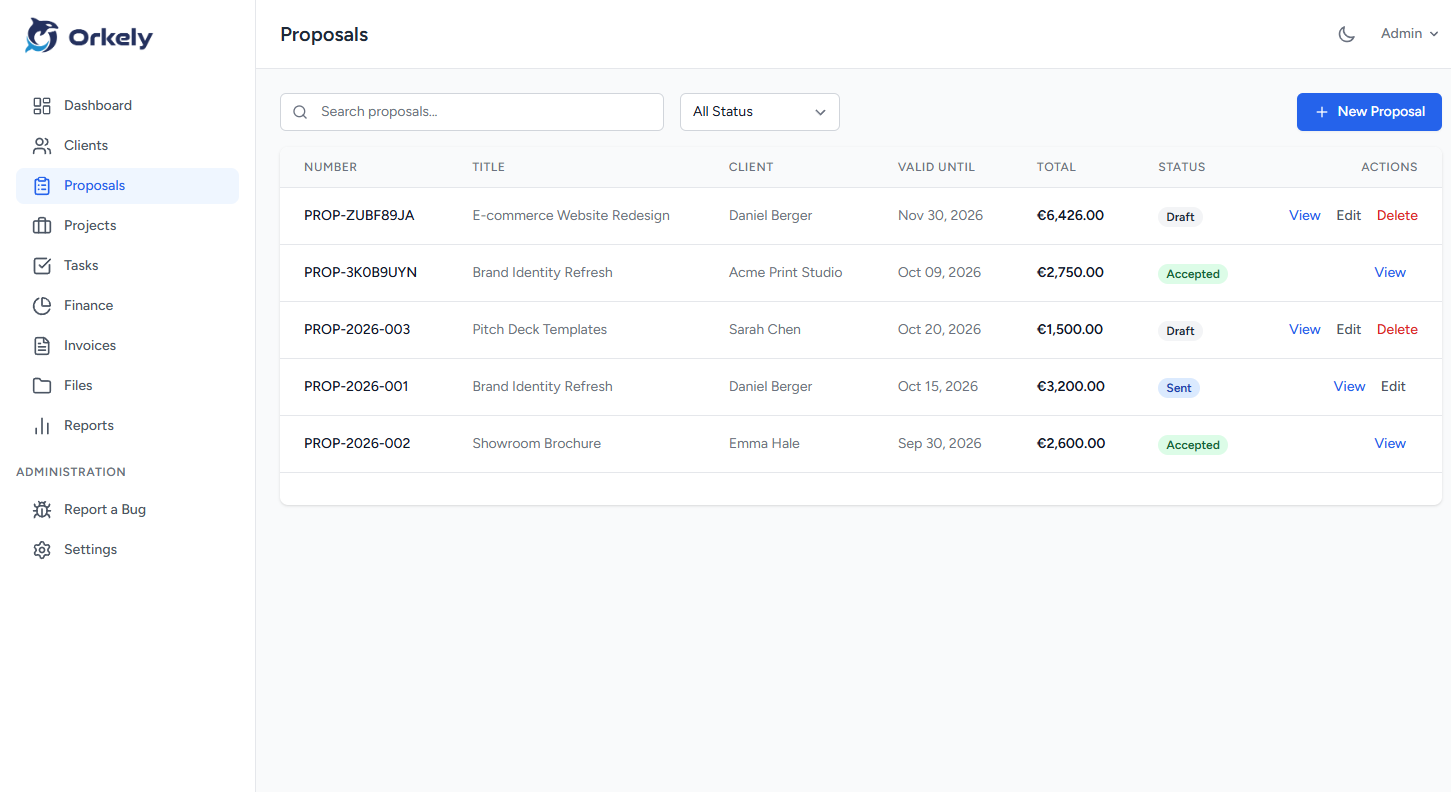
Proposals

Quote the work before you start it

Pro
Orkely proposals screen
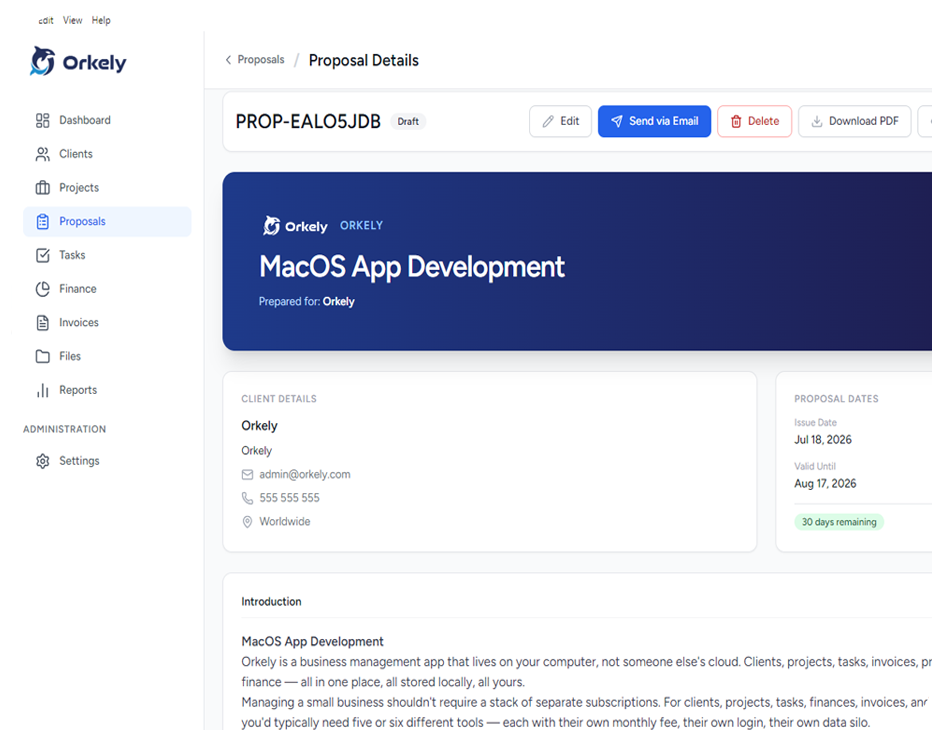
Proposal builder

Rich text with merge fields

Pro
Orkely proposal builder screen
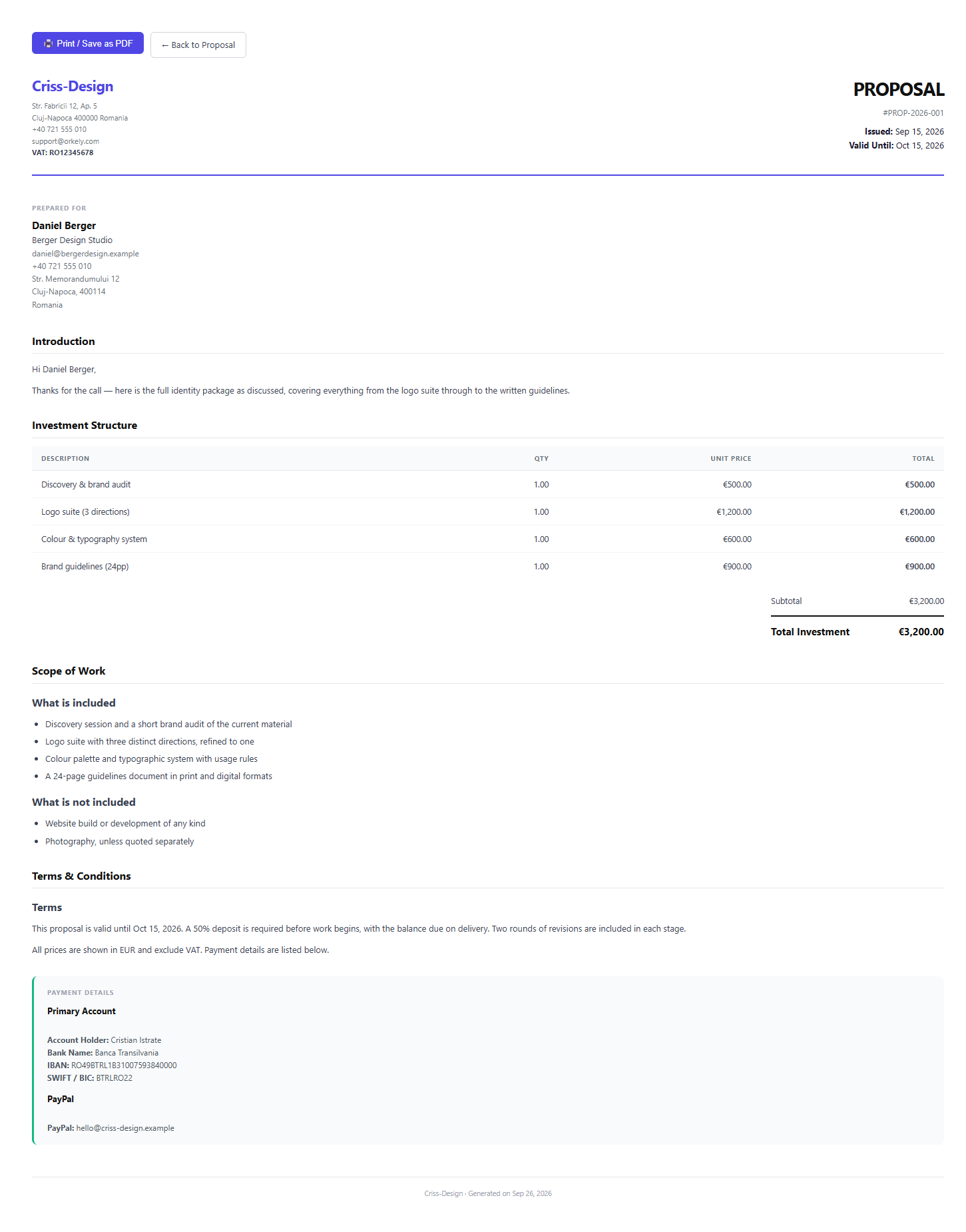
Proposal PDF

Print, save or attach the same layout
Pro
Orkely proposal pdf screen
Reports

Revenue and client billing breakdowns
Pro
Orkely reports screen
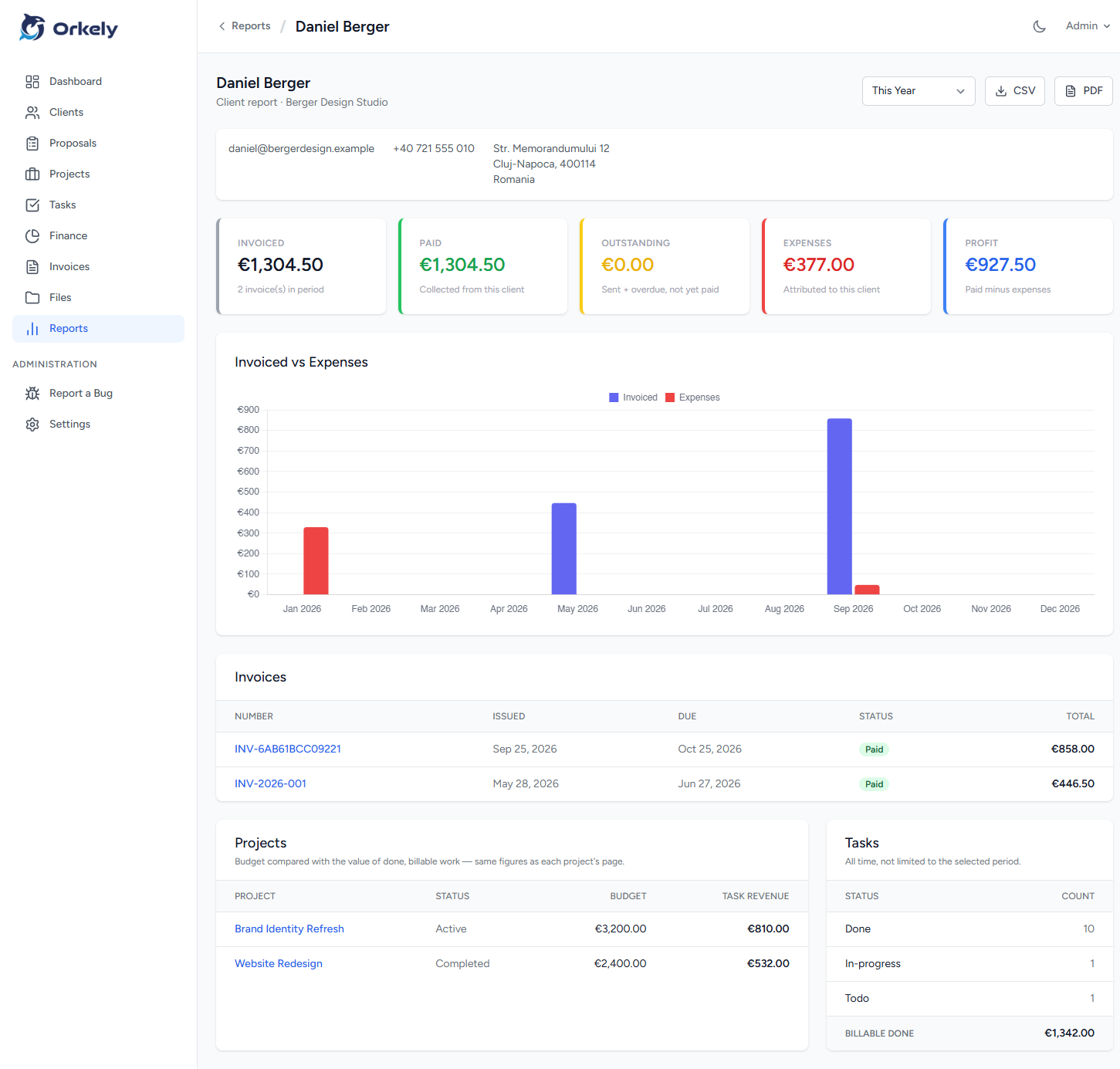
Per-client report

What one customer is worth

Pro
Orkely per-client report screen

Swipe to see more →

Still being built

Recently shipped

Orkely is actively maintained and updates arrive through the Microsoft Store — you do not download anything by hand.

1.0.3 Read the release notes
  • Attach files to individual tasks, and see them in the project file list.
  • Payment methods that fit any country: flexible bank fields, links and custom rows.
  • A yearly income and expense trend chart, on the dashboard and in report PDFs.
  • Proposals are emailed with their PDF attached again.
  • Orkely Free now shows Pro features veiled instead of blocking them.
  • Text typed after using the proposal toolbar is no longer discarded.
1.0.2

Invoice creation from tasks, icon rendering, client company and address on invoice PDFs, and a Task Revenue card on project pages. Release post.

1.0.1

Finance and income/expense entries can be edited and deleted, and the Store link behind the Pro upsell inside Orkely Free was fixed. Release post.

What it costs

Free forever, or pay once for Pro.

No monthly fee on either edition, and nothing that stops working after a trial.

Orkely Free

Everything you need to run day-to-day work.

Free forever

  • Clients, projects, tasks and file attachments
  • Invoicing with branded PDF export
  • Finance, expenses and trend charts
  • Local backup & restore, nothing uploaded
  • Proposals and reports visible in Free before you upgrade
Get Orkely Free

No account and no credit card required.

Orkely Pro

Most complete

For quoting work and seeing where the money comes from.

$24.99 one-time

  • Everything in Orkely Free
  • Proposal builder with merge fields and PDF attachments
  • Accepted proposals become projects, tasks and all
  • Reports: revenue, activity and per-client billing
Get Orkely Pro

Already using Free? Move your data to Pro →

Buying software once

Built to be owned, not rented

No account to create, no subscription to cancel, and no server holding your records hostage.

Your records stay yours

Everything lives in a local database on your own PC. Back it up and restore it whenever you like — there is no export request to file and no account that can be closed on you.

Nothing to cancel

No account, no sign-up and no credit card for the free edition. Nothing is uploaded, and no third-party service sits between you and your own data.

One payment, then it is yours

Orkely Pro is $24.99 once. No annual renewal, no per-user pricing, and no feature that switches off when a subscription lapses.

Updates come through the Store

Updates install the same way Orkely did, through the Microsoft Store. Uninstall it like any other Windows program and your local records stay where you put them.

Where Orkely stops

Worth knowing before you install:

  • It is not a diary and does not schedule your day. It is the record of the customers, the work and the money around that schedule.
  • It is designed for one person. There are no team seats or multi-user logins.
  • It runs on Windows today. macOS and Linux builds are in development, not released.

Questions people ask first

Is Orkely really free?
Orkely Free is free to download and use for as long as you like, with no account signup and no credit card. Orkely Pro adds proposals and reports for a single one-time payment of $24.99 — never a subscription.
Do I need an internet connection?
No. Clients, projects, tasks, time logs, finance and invoices all work fully offline. The only thing that needs a connection is emailing a document to a client, and you can save the PDF and send it yourself instead.
Where is my data stored?
In a local database on your own computer. Nothing is uploaded anywhere unless you deliberately email a document to a client. You can back up and restore the database whenever you want.
Do I need to create an account?
No. There is no signup, no login and no cloud dashboard. You install the app from the Microsoft Store and start working.
What is the difference between Free and Pro?
Both editions include client management, projects, task boards, invoicing with PDF export, finance tracking, file management, and local backup and restore. Pro additionally includes the proposal builder and reports — and in Free you can open both of those screens to see exactly what they do before you pay.
Will it be abandoned in a year?
Orkely is actively maintained — 1.0.1, 1.0.2 and 1.0.3 all shipped in the last few months, fixing real problems and adding features like task attachments and payment methods that fit any country. Because the app runs locally and your data sits on your own machine, it also keeps working if you ever decide to stop updating it.

More answers on the full FAQ page.

Start with the free edition

It installs in under a minute from the Microsoft Store. No account, no cloud setup, no credit card — and $24.99 once if you ever want Pro.

Orkely Free

Windows · no account needed

Download