Rich-text proposals
Write proposals with a full editor, insert client and company details automatically with merge fields, and email them with the PDF attached. An accepted proposal becomes a project, with its line items already laid out as tasks.
Orkely Pro adds everything you need to send professional proposals and track your business with detailed reports — for one payment, not a subscription. Both screens are already visible inside Orkely Free, so you can look them over before you buy.
What Pro adds
Write proposals with a full editor, insert client and company details automatically with merge fields, and email them with the PDF attached. An accepted proposal becomes a project, with its line items already laid out as tasks.
Revenue and expense trends, task activity, and billing broken down per client — with the same trend charts drawn into the exported PDF.
Before you decide
You do not have to buy Orkely Pro to find out what is in it. Open Proposals or Reports in the free edition and the real screen loads behind a single blurred upgrade prompt, so you can read the layout, the fields and the reports before deciding.
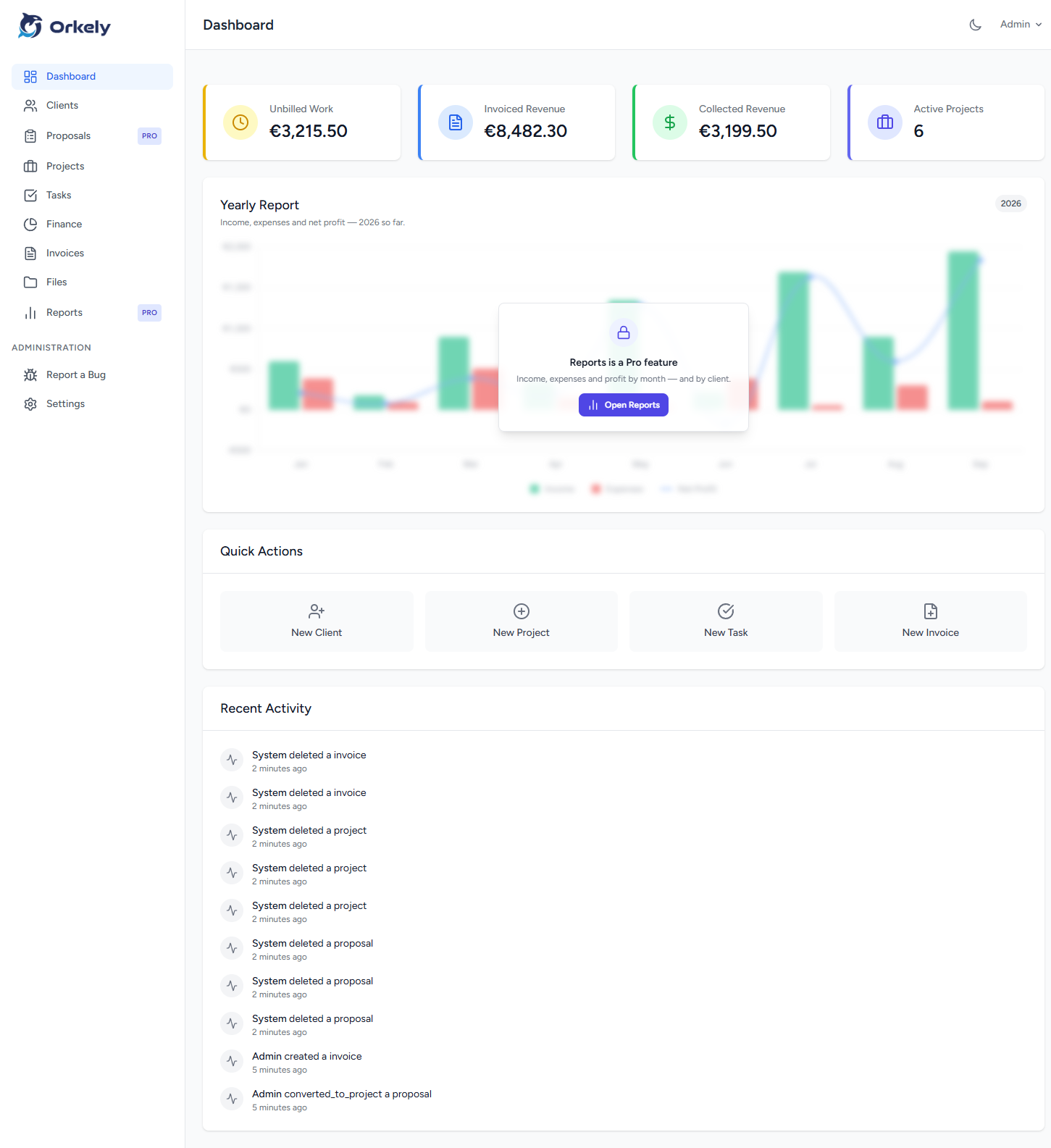
The dashboard shows the same restraint: your four KPI cards stay fully readable, and only the Yearly Report chart is veiled. Everything else in Free — clients, projects, tasks, files, invoicing and finance — is completely unobscured, with no limit on how much you put in it.
| Feature | Orkely Free | Orkely Pro |
|---|---|---|
| Price | Free | $24.99 one-time |
| Clients, projects, tasks, invoicing, finance | Yes | Yes |
| Proposals (rich-text editor) | No | Yes |
| Reports | No | Yes |
| Proposals & Reports screens visible in Free | Preview | Yes |
Orkely Free and Orkely Pro are separate installs, so before switching over, back up your data:
Open Orkely Free → Settings → Backup & Restore → Backup Now. This emails you a copy of your database.
Install Orkely Pro from the Microsoft Store.
Open Orkely Pro → Settings → Backup & Restore → Restore from Backup, and select the backup file you just received.
That's it — your clients, invoices, projects, and everything else carries over.