Built for how one person actually runs a business

Eight tightly integrated modules running fully offline on your own machine — six of them in the free edition. 100% data privacy, zero subscription fatigue.

Feature details

Free

Client Management

A local CRM built for solo operators. Every client has a full profile — contacts, notes, and a complete history of linked projects, proposals, and invoices in one screen.

  • Client profiles with custom details
  • Linked projects, proposals, and invoices per client
  • Notes and interaction history
  • Instant local search across all records
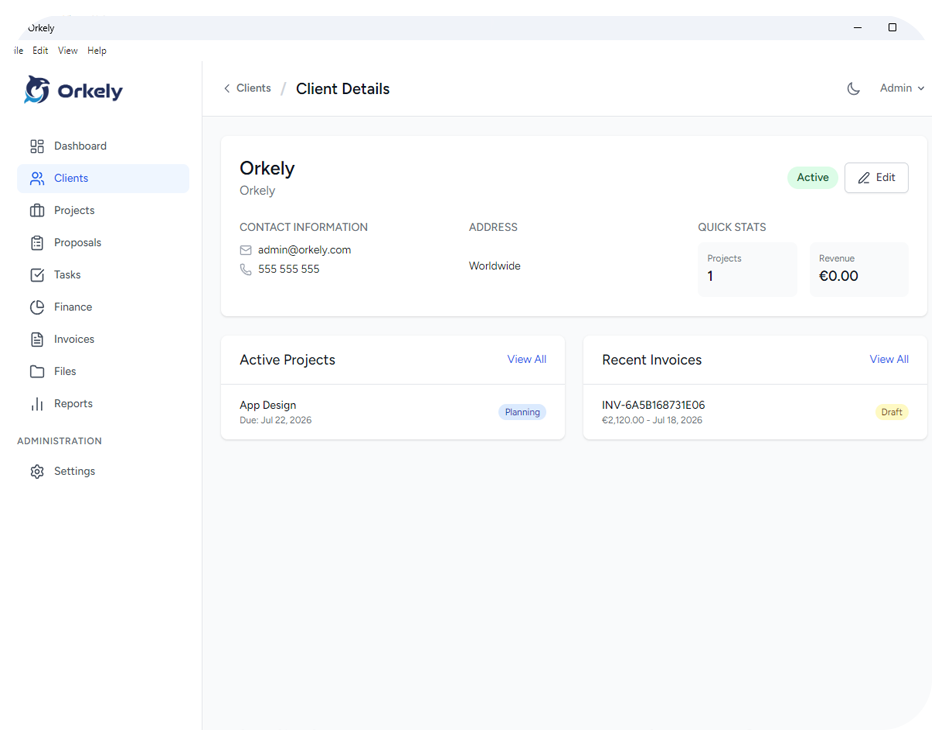
Orkely client management screen
Free

Project Management

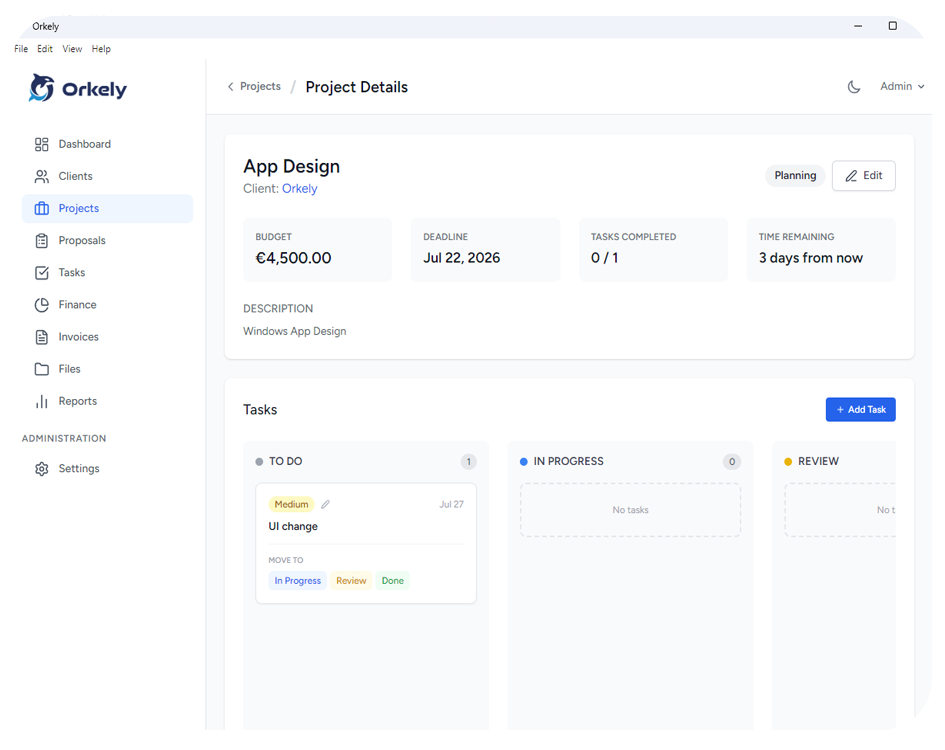
From initial contact to final delivery, Orkely organizes project phases and keeps deliverables aligned. Simple enough to organize solo, detailed enough for real client milestones.

  • Project timelines and milestones
  • Link tasks and files directly to projects
  • Status tracking and progress indicators
  • Historical project logs for client reviews
Orkely project management screen
Free

Task Tracking & Time Logs

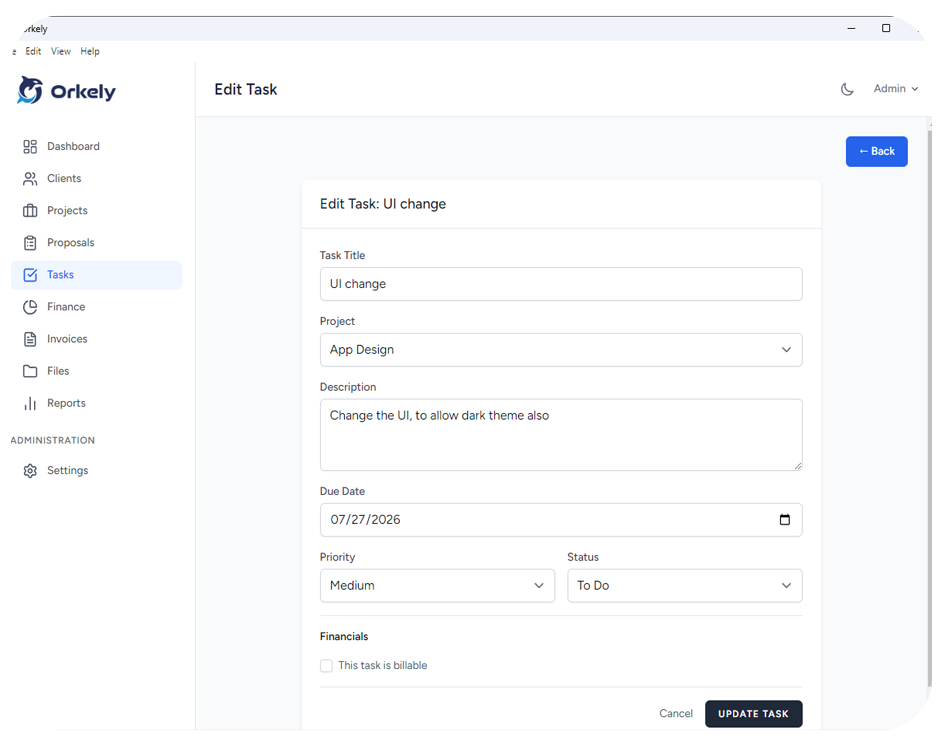
Break deliverables down into manageable chunks. Prioritize, set deadlines, and track your focus with kanban and list views — then attach the file that belongs to each step.

  • Nested tasks and subtasks
  • Visual Kanban boards and list views
  • Priority levels and deadline tracking
  • Local time logs per task
  • File attachments on individual tasks, not just the project
Orkely task tracking and kanban screen
Free

Files & Attachments

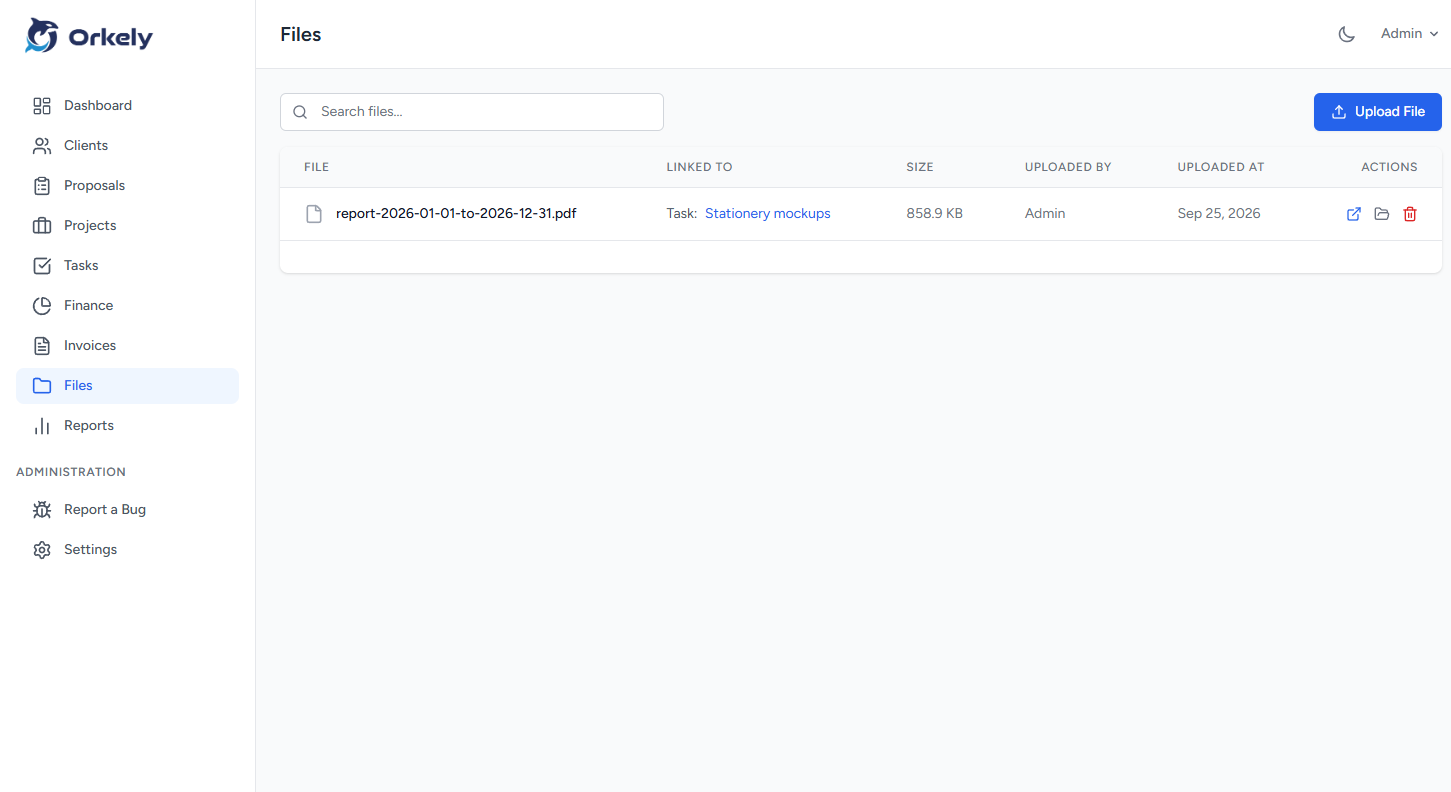
Receipts, photos, specs and signed documents live with the work they belong to. Open a file in its own program, or jump straight to its folder when you need to attach or copy it.

  • Attach files to a project, or to a single task
  • Task attachments appear in the project file list too
  • Open the file, or show it in its folder
  • Nothing is uploaded anywhere
Orkely file management screen
Free

Invoicing

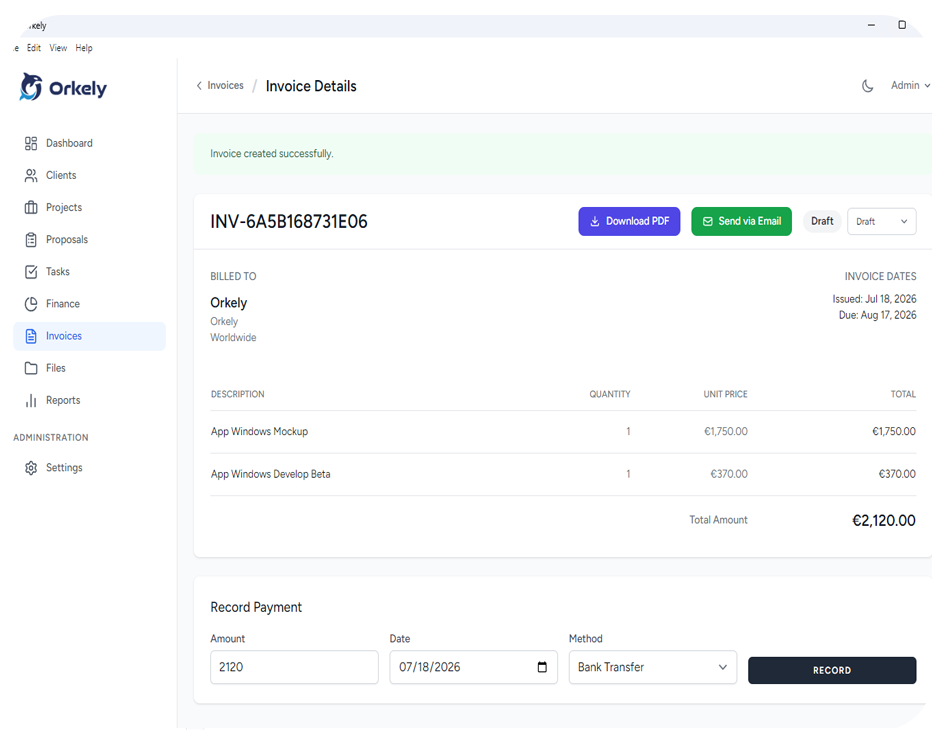
Invoice lines are generated from the tasks you actually finished. Payment details are yours to define — bank fields for any country, a payment link, or a free-form row.

  • Invoice lines generated from completed tasks
  • Payment methods that fit any country, plus custom rows
  • Polished, locally generated PDF templates
  • Email over your own SMTP settings, or save the PDF and send it yourself
Orkely invoice screen
Free

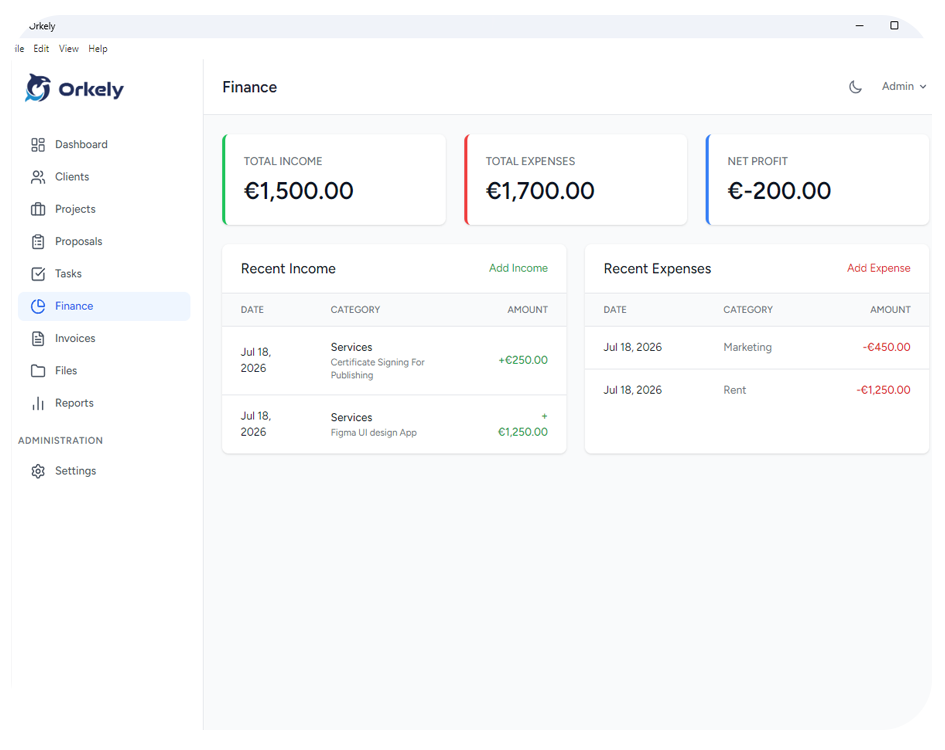
Finance & Expenses

Know exactly how much you earn and spend. Log income and expenses as they happen, correct any entry afterwards, and watch the trend build up without exporting a single spreadsheet.

  • Income and expense entries, editable and deletable at any time
  • Yearly income and expense trend chart
  • Category-based tax reporting
  • Local P&L dashboards
Orkely finance and expense tracking screen
Pro

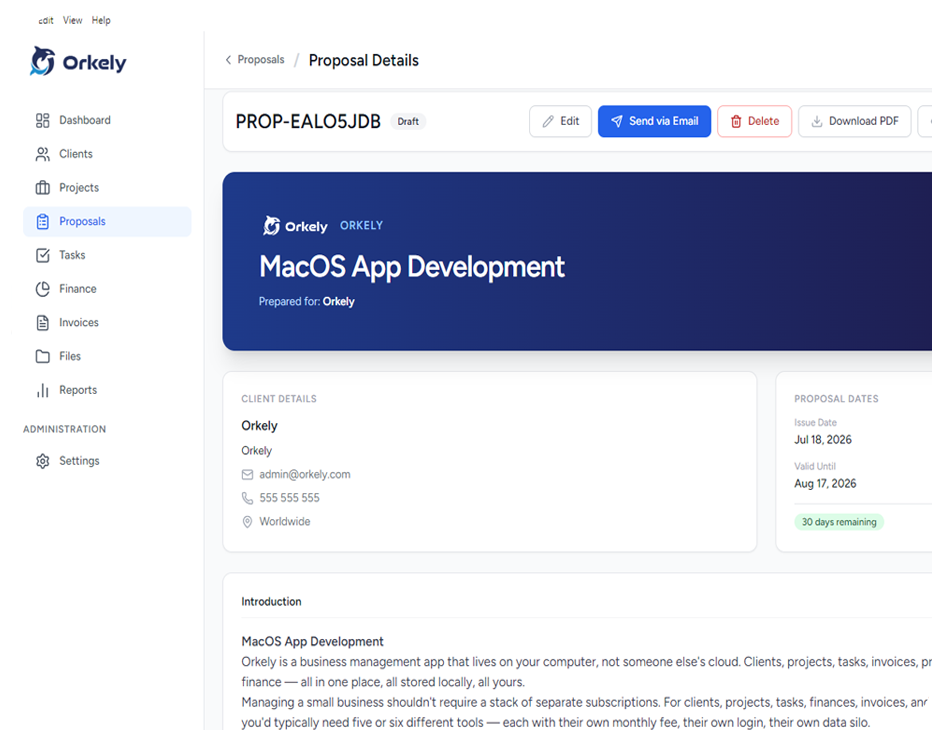
Proposals

Quote a job before you start it with a rich-text builder, then turn the accepted proposal into a project — the proposal line items arrive already laid out as the project tasks.

  • Rich-text editor with merge fields for client and company details
  • Emailed with its PDF attached, or printed and saved yourself
  • An accepted proposal becomes a project, with its tasks pre-filled
  • Your own terms, colours and payment details
Orkely proposal builder screen
Pro

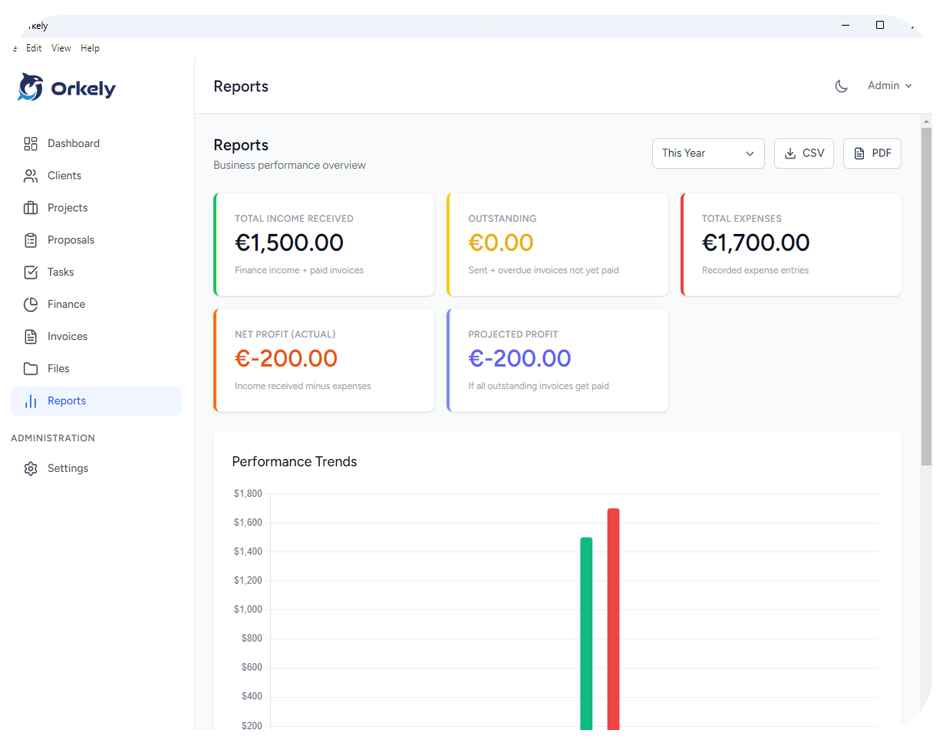
Reports & Insights

Visual dashboards give you the data you actually need — revenue, cash flow, task completion rates, and client history — built directly from your local database.

  • Revenue and expense trend charts, also drawn into the PDF
  • Task velocity and focus statistics
  • Client billing breakdowns
  • Fully private data, no third-party scripts
Orkely reports and insights dashboard screen
Draft & Deliver

Professional proposals, built locally

Win projects with custom proposals, send them with the PDF attached, and turn an accepted one into a project with its tasks already laid out.

Generated locally, as a PDF

Proposals are rendered to PDF on your own PC, from the same layout as the print view — so the file your client receives and the page you print cannot disagree. Your terms, colours and payment details included.

Email, or no email at all

Send the proposal straight from the app over your own SMTP settings. With no mail configured, it saves the PDF into your Downloads folder and opens your mail client with the message ready — telling you exactly where the file went.

Orkely proposal builder preview

Why Orkely

Run your business offline, safely

A desktop application running on your own machine. Your data is yours, always.

Offline First

Work from anywhere. No internet connection required to manage your business operations.

Data Privacy

Your local database holds all records. We never access, track, or sync your company details to the cloud.

No Subscriptions

Orkely Free is free forever. Orkely Pro is a single one-time purchase.

Ready to own your workspace?

Download Orkely Free