Freelance web and client work has a problem trades do not: the deliverable is invisible, the scope moves, and the work comes back. A website you launched in March is a maintenance relationship by June, a retainer by September, and a project nobody can quite remember the parameters of by the following spring.
Orkely is a local Windows app that keeps that relationship — scope, hours, costs, invoices — in one place. Here is how it works in practice for web development, design, and similar client services. Everything below is in the free edition unless it says otherwise.
Clients, and the history that saves you
Each client gets a record with contacts, notes, and every linked project and invoice. For agencies and retainer clients, that history is the fastest way to answer the questions that arrive by email: what did we build them, when did we last touch it, what did we charge.
The notes field is a good home for the facts that always come back — hosting account, who owns the domain, the CMS version at handover, the support arrangement you agreed verbally in a call.
Write the scope as a proposal
Scope creep is the defining hazard of client work, and the fix is a document the client accepted rather than a paragraph in an email chain. Orkely Pro includes a proposal builder: an itemised scope with phases, deliverables, price, and exclusions, generated as a professional PDF and emailed or handed over before work starts, then converted to an invoice when it is won.
This is a genuine commercial improvement rather than a formatting one. The third round of "can we just also" becomes a conversation about the exclusions list you both already read.
Subtasks, because client work is recursive
A project per client site — or per phase, if the build is long. Tasks carry subtasks, which is what this kind of work actually looks like: "contact form" is not one job, it is the markup, the validation, the spam handling, the emails, and the testing.
Break work down to the level where each piece is real, and log time against the pieces. Kanban and list views show everything in flight across clients, which is the part that keeps a month of concurrent retainers survivable.
Hours per task is how retainers stay profitable
Tasks carry time logs. On a fixed-price build this is how you find out mid-project that a phase is underwater while you can still do something about it. On a retainer it is the entire billing basis: the month's work is already logged, so invoicing it is a selection rather than a reconstruction of your own memory.
It is also the answer to the question clients ask most often — "what did we spend the retainer on this month" — with actual task names and hours rather than a vague assurance.
Hosting, licences, and pass-through costs
Log third-party costs against the project they belong to: hosting, a domain renewal, a premium plugin or licence, a font, a stock image, a subcontractor's day rate. Pass-through costs are where agencies most often invoice at cost and forget to charge for the admin and risk of carrying them.
Keeping them per project means you can see what a client relationship actually costs you, before you decide whether the retainer is worth renewing.
Invoice from the tasks you did
When a phase ships, or when the retainer month closes, generate the invoice for that client from the project's tasks — select what you are billing and they become invoice lines, then add the third-party costs and adjust.
The invoice generates as a branded PDF with the client's company name and address in the billing section, and you can email it from the app or save it and send it through your own system. It stays linked to the client and the project, so the history of what that relationship has been billed is one screen rather than three systems.
Reports by client
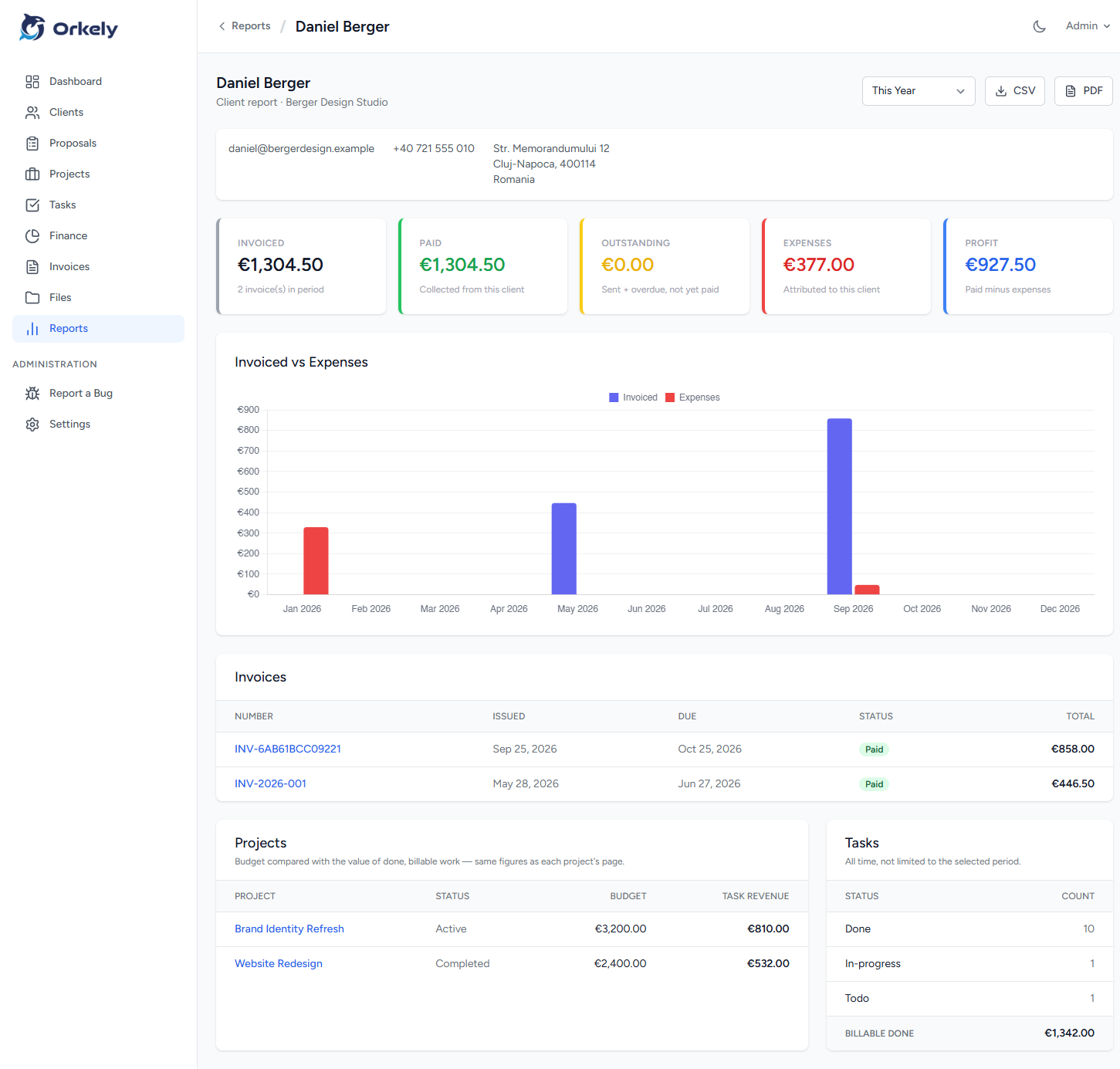
Orkely Pro also adds reports, including one per client. Once you have a dozen clients the useful question is which of them are actually worth the hours they absorb, and a flat monthly revenue figure cannot answer it. To be clear about the boundary: Orkely is not a git client, a deployment tool, or a ticketing system, and it does not track your time in the background. It holds the client, the work, and the money.