Training and coaching work is sold in blocks and delivered in hours. A client buys ten sessions, you deliver them over three months, and somewhere in the middle of that the admin gets vague: how many of the ten are left, which month's invoice covered which sessions, and what that client has actually been worth to you since they started.
Orkely is a local Windows app that answers those three questions, in one place, offline. Here is the workflow. Everything below is in the free edition unless it says otherwise.
Each client is a record, not a name in a diary
Start with the client record: contacts, notes, and every project and invoice linked to that person. Notes are the right home for the practical context — the injury to work around, the goal they came with, the fact that they pay by bank transfer on the first of the month.
Model the block the way you sold it
A package of sessions is a natural project: it has a start, a finite amount of work, and an end. Tasks inside it are the individual sessions, or the phases of the programme if you work that way.
The advantage over a diary is that a project tracks a commercial unit rather than a time slot. A ten-session block is something you can see the state of — delivered, remaining, and billable — instead of something you count on your fingers when the client asks.
Log the hours, including the invisible ones
Tasks carry time logs. Log the session itself, but also log the parts of this job nobody bills for and everybody does: the programme you wrote, the check-in messages, the travel, the review at the end of a block.
Two things come out of that. You find out your real hourly rate rather than the one on your price list, and you can price the next block from evidence. For coaching especially, where sessions are long and preparation is real, this is the difference between a business and a busy week.
Gym hire, equipment, and qualifications
Log your costs against the project or as general expenses: studio or gym hire, equipment, insurance, a course you took to serve one particular client better. On a one-to-one business the overheads are small and easy to lose track of, and they add up faster than most people expect.
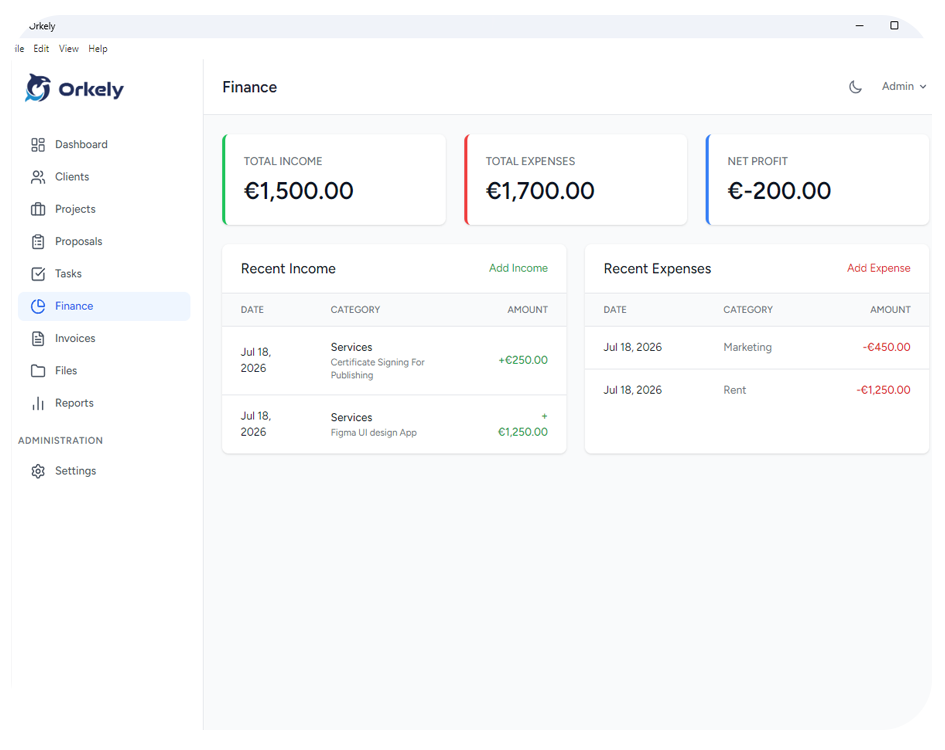
Whether you attach them to a specific client or not, the finance side keeps income and expenses in one local record, so the month's position is something you can see rather than estimate.
Invoice each block or month from the work
When a block closes, or at the end of the month, generate the invoice for that client from the project's tasks — the sessions you are billing become invoice lines, and you can add or remove sessions that moved.
It generates as a branded PDF with the client's details filled in, ready to email from the app or save and send your own way. Because it stays linked to the client and the project, the awkward conversation about how many sessions remain has a factual answer.
Proposals, and reports by client
Orkely Pro adds a proposal builder — useful for presenting a block, a programme, or an online package as an itemised offer rather than a price in a message — and reports, including one per client, so you can see which clients and which package sizes actually sustain the business.
One honest limitation: Orkely does not book, reschedule, or remind anyone. It is not a diary and it will not text your clients. It holds the client, the work, and the money around your calendar, which is the part that usually goes unmanaged.