Cleaning work has an unusually kind shape: the same clients, the same visits, the same interval, month after month. That is also what makes the admin go wrong. Because each visit is small, none of them feels worth recording — and then the invoices are a month late, and nobody can remember whether the deep clean at number 14 was ever charged.
Orkely is a local Windows app built around exactly this rhythm: a client, the regular work, and the invoice that follows it. Everything below is in the free edition unless it says otherwise.
Each household or site is a client
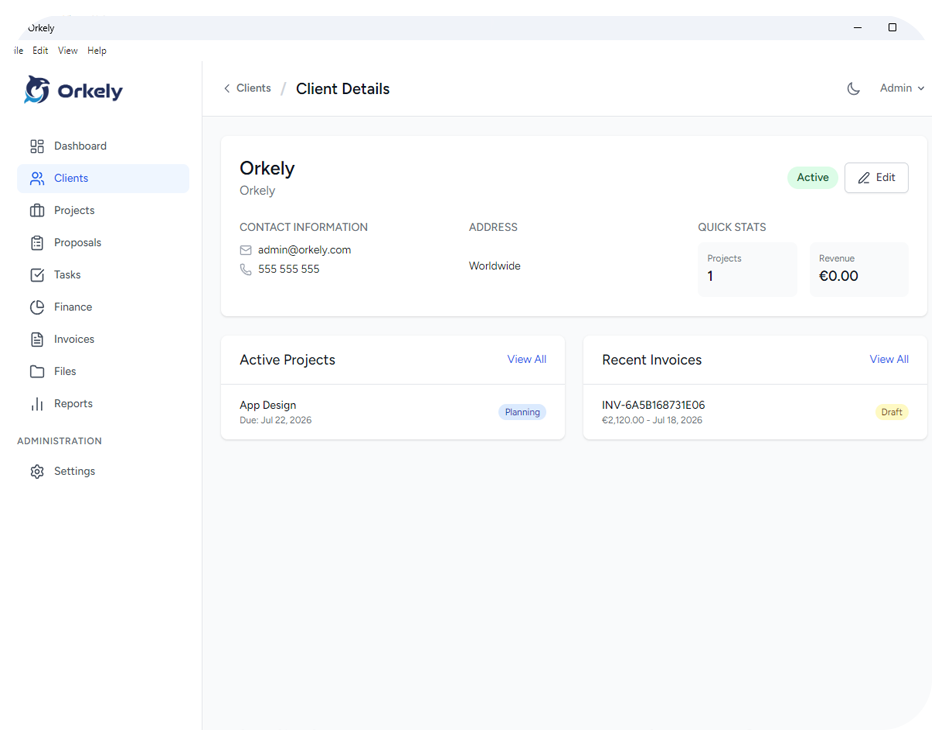
Start with the client record: the address, the contact who actually pays, and notes. Access details belong here rather than in a text message you will scroll for later — the key safe, the alarm code, the dog, the day the cleaner should not come because someone works from home.
The record also holds the history: every project and invoice linked to that client. When a customer asks whether the oven was included last time, the answer is on their page.
Group the work so it matches how you bill
You do not need a project per visit. The natural choice is one project per client per month, or one project for the regular weekly clean and a second for the extras — the oven, the windows, the carpets — which are the ones that get forgotten.
Tasks are the individual jobs inside it, and they are what makes the difference between "cleaned, as usual" and a record of what was actually done at that property on that visit.
Log the hours, even the short ones
Tasks carry time logs, and for cleaning this is the quiet money-maker. Two hours a week at one property sounds fine until you notice the deep clean client takes three, or that travelling between two sites on the same afternoon is costing you an hour nobody pays for.
Once you have logged a couple of months you can price the next regular contract from real numbers. Before that, most people are pricing from a number they picked in a hurry years ago and never revisited.
Products, laundry, and mileage as job costs
Log what the work consumes against the project: cleaning products, bin bags, laundry, the specialist product for one particular floor, the fuel for a longer run. Materials that get absorbed into a fixed monthly price are the ones that silently eat the margin.
On the one-off jobs, the deep clean or the end-of-tenancy, expenses matter even more — those are the jobs most likely to be under-priced, and the ones where you can see it clearly afterwards.
Invoice each month from the work you actually did
When the month's visits are done, generate the invoice for that client from the project's tasks — select the visits and jobs you are billing and they become invoice lines. Add the extras, remove the visit the client cancelled.
It generates as a branded PDF with the client's details filled in, ready to email from the app or save and send your own way. It stays attached to the client, so by the second year you have a genuinely useful record of what that household has paid for — which is also the evidence you want if a price ever needs to go up.
Reports by client, when you want to grow
Orkely Pro adds reports, including one per client, plus a proposal builder for quoting new contracts and one-off jobs before you start. Once you are running several regular clients, the question shifts from "what did I earn" to "which properties and contracts are worth keeping", and a client-by-client view answers it. Orkely does not manage your rota or send reminders to customers; it holds the client, the work, and the money.