A plumbing business runs on two clocks. There is the clock on the job — the leak, the blocked drain, the boiler that will not fire — and there is the clock afterwards, when the parts still need to be remembered, the hours added up, and an invoice written for a customer who is already thinking about something else.
Orkely is a local Windows app that keeps both sides of that in one place. This is a practical walkthrough of running a plumbing business with it, using the workflow it was actually built around: customer, job, hours, parts, invoice. Nothing here needs a cloud account, and everything in this article is in the free edition except where marked.
Every customer becomes a client record
Start with the property, not the job. Each customer gets a client record — contact details, notes, and a running history of every project, proposal, and invoice linked to them. For repeat work that history is the whole point: you can see what was fitted last time, when you were last there, and what you charged, without searching your phone.
This matters more in plumbing than in almost any other trade, because the same address comes back for years. A client record turns three separate visits into one story.
One project per job
A project is the job: the bathroom refit, the kitchen re-pipe, the emergency call-out that turned into a new cylinder. Multiple projects can sit open at once, and each one holds its own tasks, expenses, files, and invoices.
Files are worth using properly here. Photographs of the installation, the model number plate on an old boiler, a photo of the stopcock before you boxed it in — all of it lives on the project rather than in your camera roll, which is where it usually gets lost.
Log the hours while you remember them
Tasks carry time logs. Break a job into the work it actually contains — strip out, first fix, second fix, commission — and log the hours against each one as you go, or at the end of the day while it is still fresh.
This is the part most plumbers skip, and it is the part that pays. If you never record that the last bathroom took eleven hours longer than you quoted, you will quote the next one the same way. Kanban and list views let you see what is in progress across all your open jobs, which is exactly what you need when a customer calls to ask where you are.
Parts and materials belong on the job, not in a shoebox
Receipts for fittings, copper, and the odd new TRV usually end up in the van. In Orkely you log the expense against the project it belongs to, so the job carries its own cost alongside its own hours.
Two things come out of that. First, when you price a similar job next year you are working from real numbers for that customer, not from a feeling. Second, when your accountant asks what you spent on materials, you are not reconstructing it from a carrier bag.
Turn the finished job into an invoice
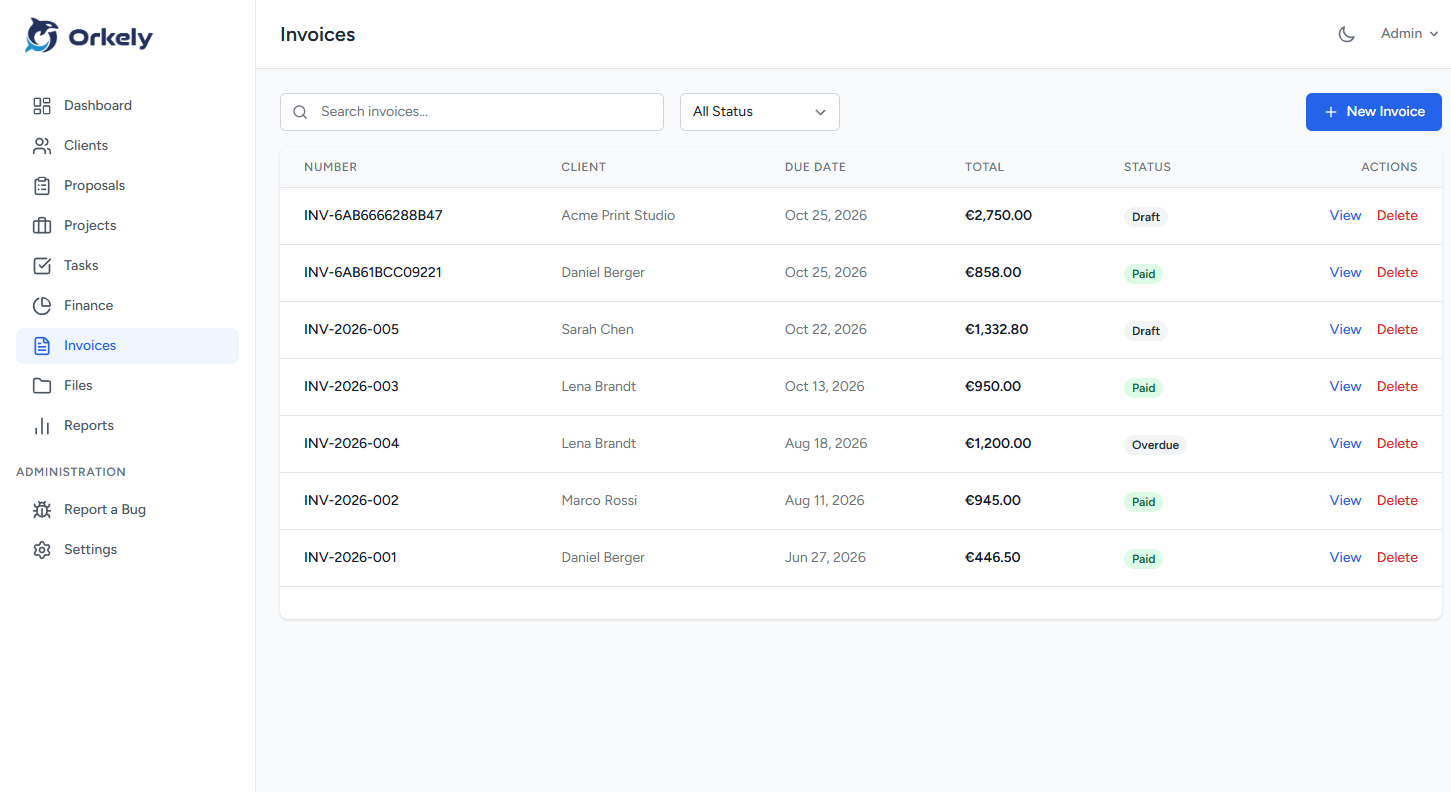
When the work is done, generate the invoice for that client directly from the project's tasks — pick the tasks to bill, and they become invoice lines. Then adjust: add the parts line, add a call-out charge, remove anything you agreed not to charge for.
The invoice is generated as a branded PDF from the client's details, including their company name and address in the billing section, and you can either email it from the app or save it and send it yourself. Either way, the invoice is attached to the client and the project, so the next time you are standing in their kitchen you can see exactly what you billed them last time.
See what each client is actually worth
Once you have a year of jobs, the interesting question stops being "how much did I earn this month" and becomes "which customers and which kinds of job actually make money". Orkely Pro adds reports, including a report per client, so you can see billing history and revenue broken down by the people you work for rather than as one flat total. Proposals — itemised quotes a customer can accept before you lift a tool — are also a Pro feature, and they convert across to invoices when the job is won.
Something worth being clear about: Orkely is not a diary and does not schedule your day. It is the record of the customer, the work, and the money around that schedule — which is the part that usually stays unmanaged.