Handyman and carpentry work is the hardest trade to price, because no two jobs contain the same amount of hidden mess. A "quick" door-hanging job turns into re-hanging a frame, and the price you gave at the doorstep is now a small act of charity.
A local Windows app like Orkely will not stop that happening. What it does is make sure you find out it happened, and that the next quote reflects it. Here is the workflow, from first enquiry to invoice. Everything except proposals and reports is in the free edition.
Every customer gets a record
Start with the client: contact details, notes, and every project and invoice linked to them. For the customers who bring you a list of six small jobs twice a year — the dependable core of most handyman work — that history is worth more than any marketing.
Quote the job as a proposal
Most handyman work arrives as a vague request and needs to leave as a defined scope. Orkely Pro includes a proposal builder for exactly this: a clean, itemised document stating what you will do, what it costs, and what is excluded, generated as a PDF and emailed or handed over before you start.
On carpentry work that matters more than usual. "Fit a new worktop" and "remove the old worktop, deal with the water-damaged substrate, fit and seal the new one" are the same sentence to a customer and two different days of labour to you. The proposal is where that gets written down.
One project per job, or one per customer per month
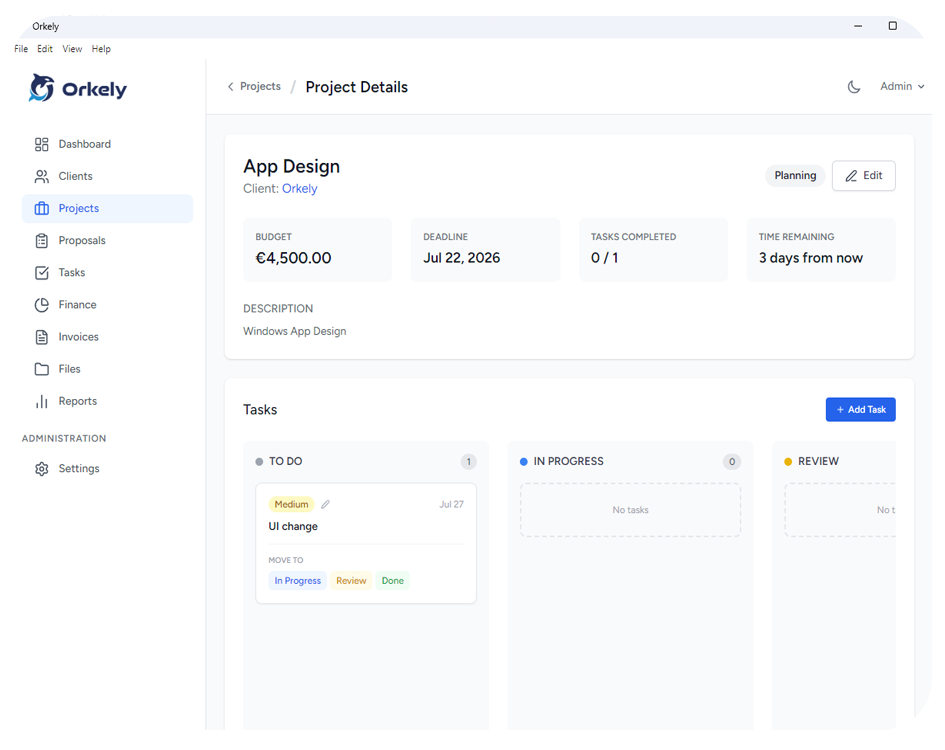
A single fitted wardrobe is a project. Six small jobs for one landlord in one month can also be a project — whichever way you naturally group the work. Projects hold their own tasks, expenses, files, and invoices.
Use files for the practical evidence: photos of the fixings and hinges you used, the paint colour code, the "before" photo that proves the wall was already like that.
Hours per task, while they are real
Tasks carry time logs. Break the job into its actual pieces — strip out, framing, fitting, making good, snagging — and log hours against each one. This is where a trade with hidden work learns to price: after a few jobs you have real numbers for how long a "small" job of each type takes you, instead of a price you invented when you were younger and more optimistic.
Kanban and list views show everything open across all customers, which is what you want when someone calls to ask whether you are still coming on Thursday.
Timber, fixings, and the tip run
Log materials and costs against the project: sheet goods, hardware, adhesive, the hire of a tool, the van load you took to the tip. On jobs that are quoted rather than estimated, that is the difference between knowing the margin and hoping it was fine.
It also builds a reference library. Next time you quote a fitted wardrobe you can look at what the last one genuinely cost in materials, not just what you remember paying.
Invoice from the finished tasks
When the job is complete, generate the invoice for the client from the project's tasks — select what you are billing, and they become invoice lines. Add materials, add the parts you did as a favour and decided to charge for after all, remove what you agreed to write off.
It generates as a branded PDF with the client's details in the billing section, and you can email it or save it and send it yourself. Because it stays linked to the client and the project, the "did they ever pay for that one" question has an answer.
Reports, by client instead of by month
Orkely Pro also adds reports, including one per client. Once you have a year of work, the useful question is which customers and which job types are worth having — and a flat monthly total cannot tell you that. Orkely is not a diary; it will not schedule your week. It keeps the customer, the work, and the money together.