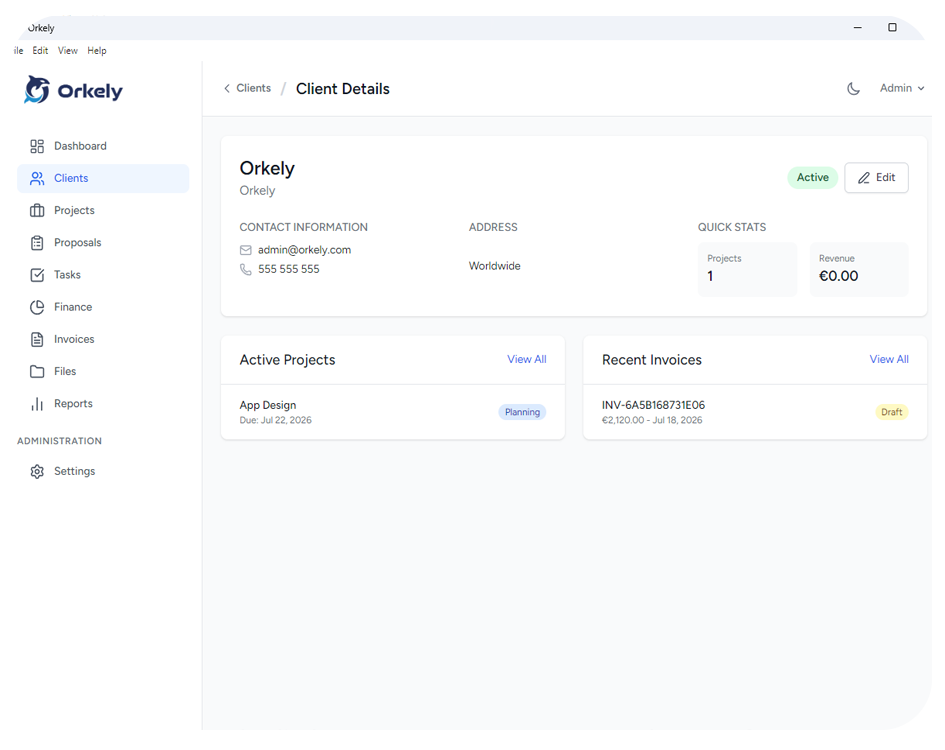
Track virtual assistant client work with a clear record of each request, its status and the effort involved. For an ongoing arrangement, a monthly project can provide a practical boundary for reviewing delivery and preparing a service summary.
The record should explain what happened without copying sensitive client information into unnecessary places. Keep the administrative overview separate from credentials and confidential working systems.
Give recurring work a defined period
Create a consistent label such as “Client Name — November Support”. Record the services covered, the agreed hours or fee, and any work that needs approval before you begin.
Monthly periods make it easier to distinguish current requests from old unfinished items. For a project spanning several months, keep the overall reference and identify which period contains the work.
This is a suggested manual structure. It does not assume that the software automatically creates monthly projects, renews retainers or bills recurring work.
Turn requests into specific tasks
“Research suppliers” needs a scope: what suppliers, for which location and what information should be delivered? Ask enough questions to make the result checkable.
Write a useful task title, note the source of the request and identify the expected output. Add any deadline or approval dependency. If the client must make a decision, record what you need from them rather than leaving the task vaguely active.
Avoid pasting passwords, full payment details or sensitive personal records into ordinary task notes. Use the client's approved access and document-handling arrangements.
Keep time notes understandable
Record time against the actual activity while it is still fresh. “Prepared supplier comparison for six approved candidates” explains more than “research”.
Distinguish delivery effort from business development and your own administration. What is billable depends on the client agreement, not merely whether a timer ran.
If a request exceeds an agreed allowance, flag it before continuing. The client needs a decision about the remaining work, rather than a surprise at the end of the month.
Review the month before preparing the summary
Group completed activities into useful categories: scheduling, research, document preparation or another structure the client recognises. Identify pending work and explain what is blocking it.
A service summary might say: “Completed supplier comparison and meeting preparation. Awaiting your approval of the shortlist before outreach.” It reports progress without implying that pending work is complete.
Connect the summary to the agreed billing arrangement. Do not assume that a time record automatically authorises a charge.
Use the right workspace boundary
Orkely supports client records, projects, tasks and time logs. It can serve as your own local operational record while client collaboration remains in the client's approved systems.
It is not a shared client portal or a multi-user task platform. Check the single-user model before deciding whether it fits your work.
Should I put every email in the project?
Keep actionable instructions and relevant decisions. Copying an entire inbox creates noise and may duplicate information unnecessarily.
How should unfinished work move into next month?
Record its current state, remaining action and new period clearly. Preserve the original request so the history is not lost.
Try a single monthly period first, then adapt the record to the questions your clients actually ask. The Orkely help videos show the basic record-building steps.