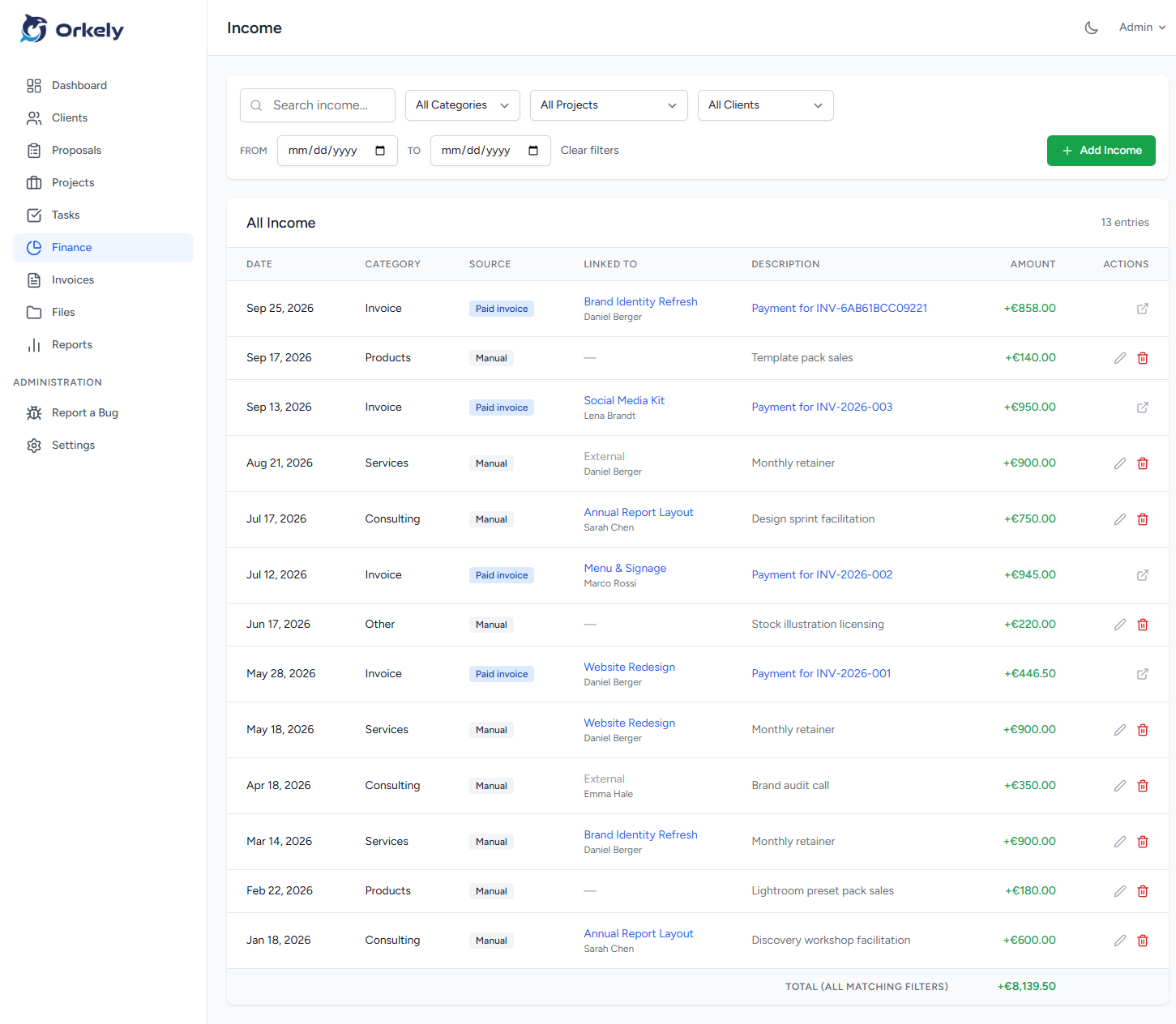
An invoice payment record should connect a specific bill to the money received for it. Keep the invoice reference, received date, amount, currency, payment method and any supporting reference together so you can explain the status later.
Sending an invoice, reaching its due date and receiving payment are separate events. Treating them as one step can leave your records looking complete while you are still waiting for the money.
Keep the document and the payment separate
An invoice describes an amount billed. A bank or payment provider record shows a transaction. Neither should silently replace the other.
For example, a client may pay two invoices in one transfer or use a reference that does not match either document. Before updating the records, identify which bills the transfer covers. Ask the client when the allocation is unclear rather than guessing from an approximate amount.
Keep a dated note of the explanation so you do not repeat the investigation next month.
Use an explicit manual recording routine
Check the transaction in the relevant payment account. Compare the reference, amount and currency with the invoice. Then update the invoice record using the workflow supported by your software.
Orkely's help videos include a short payment-recording demonstration. The tutorial shows a manual action; it should not be described as automatic bank reconciliation or a connection to your bank.
Where a payment does not settle the entire bill, preserve the actual amount received and the remaining amount in an appropriate record. Do not mark an entire invoice paid just to clear it from a list. Confirm how your current software handles partial payments before relying on a particular feature.
Record the useful details
A practical payment note can read: “Invoice INV-042, payment received 12 November, bank transfer, reference MENU-NOV.” Add the amount and currency in the relevant fields or supporting record.
Avoid copying complete card details or other unnecessary sensitive information. Store the evidence you need for the business record without turning the project folder into a collection of payment credentials.
If a provider deducts a fee, distinguish the client's settlement from the net amount deposited. Do not alter the invoice merely to make it equal the bank deposit without understanding the difference. Ask your accountant how those entries should be handled in your records.
Review unmatched items regularly
During your weekly administration session, look for invoices awaiting payment and transactions you have not yet identified. Resolve ambiguous items while the client still remembers the transfer.
Create a specific next action: confirm the reference, request a remittance note or check whether payment went to a different account. An unresolved note should have an owner and follow-up date.
Keep evidence of corrections
If you recorded a payment against the wrong invoice, correct the record and note why. Retain the original supporting evidence where appropriate. Your operational history should explain the change rather than conceal it.
Does an emailed payment promise count as paid?
No. It is a communication to follow up, not confirmation that funds have arrived.
Does Orkely process the payment itself?
This workflow is about recording payment information. It does not imply that Orkely collects money or verifies a transfer for you.
Explore the connected invoicing tools on the features page, and keep a short review routine alongside whichever payment accounts you use.