To organise video editing projects, separate the creative production files from the business record. Your editing application holds the timeline; the project record holds the agreement, deliverables, feedback decisions and billing context.
This distinction matters when a short video grows into several formats and review versions. A clear workflow helps you explain what is included and find the right output without guessing from filenames.
Define the outputs before production
Confirm the number of videos, intended duration, aspect ratios and delivery formats. Ask where the content will be used and whether it needs to communicate without sound.
Record whether the job includes filming, supplied footage, licensed music, text writing, captions or only editing. “A social video” does not specify these responsibilities.
For a fictional café promotion, the scope might be one 15-second landscape video and one vertical adaptation using approved photographs and copy. Additional language versions are separate outputs unless agreed otherwise.
Check the source material
Create an asset checklist before building the timeline. Confirm that logos, product names, prices, photographs and contact information are current. Ask the client to resolve conflicting versions.
Keep a record of usage permissions and licences relevant to the supplied material. Do not assume that a file downloaded from a client's chat is cleared for every advertising use.
Large source media may need its own storage arrangement. A business-management attachment is not automatically a complete archive of the editing project and all its dependencies.
Separate the work into reviewable stages
Use tasks such as asset preparation, first cut, client review, revisions, final export and handover. Record what is blocking the next stage, including missing copy or approval.
Track the extra effort required by adaptations. A vertical version may need different framing and text placement rather than a simple crop. Include those checks in your plan.
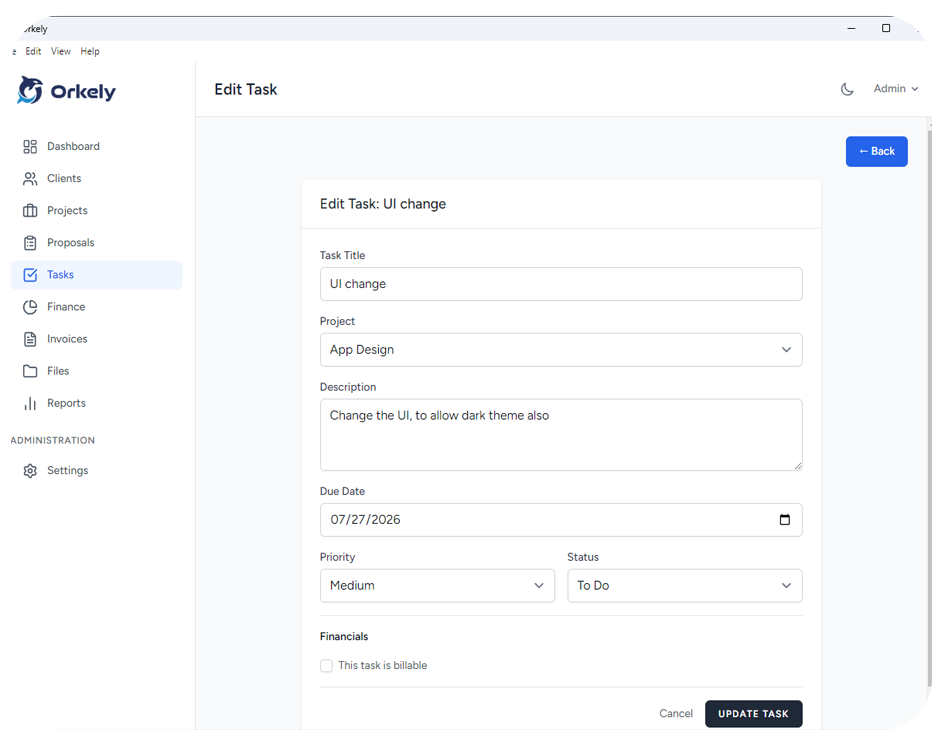
Orkely's project tools can hold these tasks and the related business records. Orkely is not a video editor, media renderer or automatic review platform.
Make feedback specific to the preview
Give each preview a version label. Ask for consolidated comments with timestamps when the feedback refers to a particular moment.
“At 00:08, replace the old offer with the approved price” is actionable. “Change the offer” may refer to several slides. Record the decision and create a revision task before altering the timeline.
When a client changes the message after approval, discuss the impact on timing and cost. Preserve the previously approved version so the new request is understandable.
Review exports separately from the timeline
Open the exported file outside the editor. Check the beginning, ending, text readability, audio level, dimensions and whether the export contains the correct version.
Confirm the spelling of names, numbers and calls to action. A smooth animation does not compensate for the wrong phone number.
Deliver clearly labelled files and explain which output is intended for each use. Keep the agreement about project source files separate from the delivery of rendered videos.
Do I need to keep every preview?
Keep enough history to explain approvals and changes, following your retention policy and client agreement. Avoid deleting the only record of a decision.
Can the same workflow cover slide-based videos?
Yes. The production method changes, but inputs, scope, reviews and export checks still need attention.
Watch the Orkely project and task tutorials, then use one real editing job to test the workflow.