Managing client revisions starts before the first preview. Explain what a review round includes, who sends the feedback and which changes would alter the original agreement. Then record requests in a way you can act on without searching several conversations.
The aim is not to make clients reluctant to ask questions. It is to give their feedback a clear path into the work while protecting the delivery date and the agreed price.
Define a round in practical terms
“Two revisions included” can mean different things to different people. Define a round as one consolidated set of comments on a supplied version, followed by one updated delivery.
Explain whether the round covers adjustments within the approved direction. A colour change might fit; replacing the entire concept may not. Agree this boundary in the proposal or other written agreement before production.
Leave room for your own corrections. Fixing a spelling error you introduced is different from charging for a newly requested page.
Ask for one consolidated response
When three people send separate comments, the problem is often contradiction rather than volume. Ask the client to nominate an approval contact who gathers feedback before you revise the work.
Provide a version label and a response date. “Please review preview 02 by Tuesday” gives the feedback a reference point. Ask for comments against the supplied version, rather than an older screenshot from a chat.
For visual work, encourage specific observations. “The phone number needs more contrast” leads to a decision. “Make it pop” needs a follow-up question before you can estimate the change.
Sort requests before making edits
Use three categories:
- Correction: the output does not match an agreed requirement.
- Included revision: an adjustment within the agreed direction and review allowance.
- Scope change: additional output, a new direction or another requirement outside the agreement.
This is your working classification, not a universal legal definition. The agreement with the client determines what is included.
Consider a logo project. Correcting the supplied business name is a correction. Refining the chosen mark may be an included revision. Adding a separate packaging design is additional scope. Make that distinction before doing all three together.
Keep a revision record
Create a short entry for each actionable request: version, requested change, source, decision and completion status. Attach the relevant feedback document where appropriate.
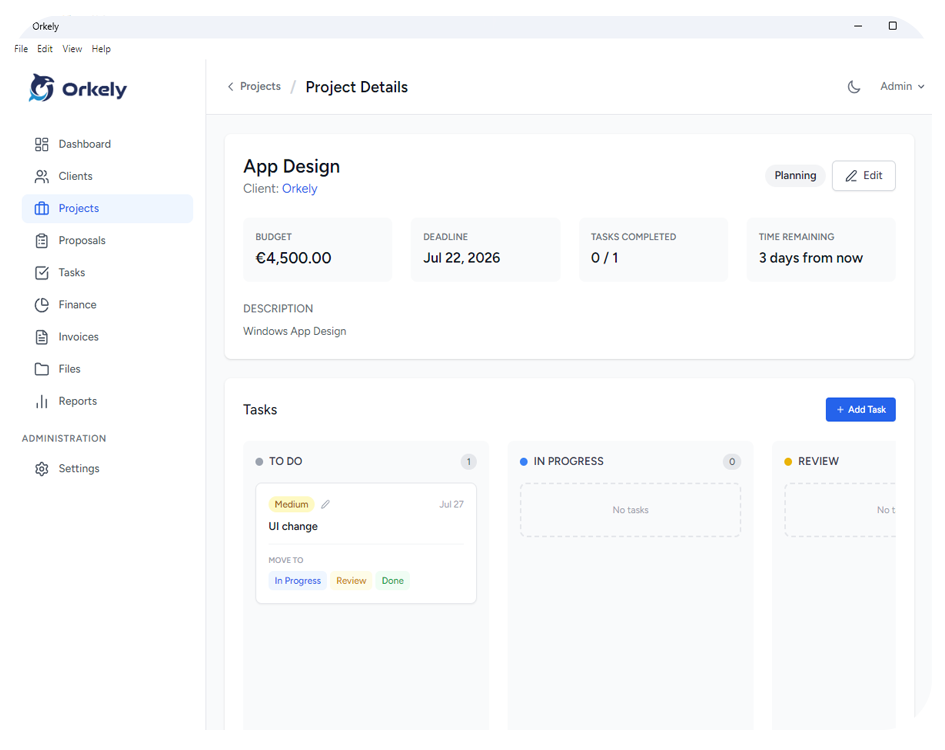
Orkely supports task notes and attachments, which can keep the working instruction alongside the action. The software does not decide whether a request is chargeable; you still need to review the agreement and communicate the decision.
Discuss the effect before starting new scope
A calm response can be direct: “I can add the extra format. It is outside the two outputs we agreed, so I will confirm the additional cost and revised delivery date before proceeding.”
Record the client's acceptance and create separate tasks for the added work. Preserve the original deadline rather than silently replacing it, so you understand why the schedule changed.
What if feedback arrives after approval?
Clarify whether it is a correction or a new request. Explain any effect on production, especially if exports or third-party work are already complete.
Should revisions be unlimited?
Only if you deliberately price and define that arrangement. An undefined promise makes workload difficult to plan.
For a connected view of projects and tasks, explore Orkely's features. Use the system to make decisions visible, not to replace the conversation.